Mac · everything on your own computer · one image in · glTF out · PBR textures · no upload
ProtoMesh: a picture becomes a 3D model, on your Mac
Drop in one picture of an object or a character. ProtoMesh rebuilds it as a textured 3D model you can orbit and export as a .glb file with PBR textures — ready for Blender, Unity, Unreal or Godot. The model behind it is Microsoft's TRELLIS.2, running entirely on your Mac with MLX: your image and your mesh never leave the machine.
US$6.99 one-time license · free version included
Version 3.6.0 · macOS 14 Sonoma or later, Apple Silicon · 39 MB download, plus a one-time model download of about 11 GB on first launch
One-time purchase · all 3.x updates included · 14-day money-back guarantee
Your license key
Open ProtoMesh → Settings → License and paste the whole line. Keep a copy somewhere safe: the key works offline, on all of your own Macs, for every 3.x version.
How it works
- Pick one picture. A character, a prop, an asset concept — a clear view of the object on a plain background works best. Nothing is uploaded: the picture is read where it lies.
- Understand the shape. A DINOv3 vision transformer reads the picture into features, and TRELLIS.2 turns them into a structured latent — a compact description of the object's geometry, not a video of it.
- Grow the mesh. A rectified-flow network fills a sparse voxel grid from the latent, then a second network turns the filled grid into an actual surface. You get a watertight mesh with clean topology, not a point cloud.
- Paint and export. A texture network paints the surface from the picture — base color, metalness and roughness for PBR — and the finished model lands as a single
.glb(glTF 2.0 Binary). One click on Show in Finder.
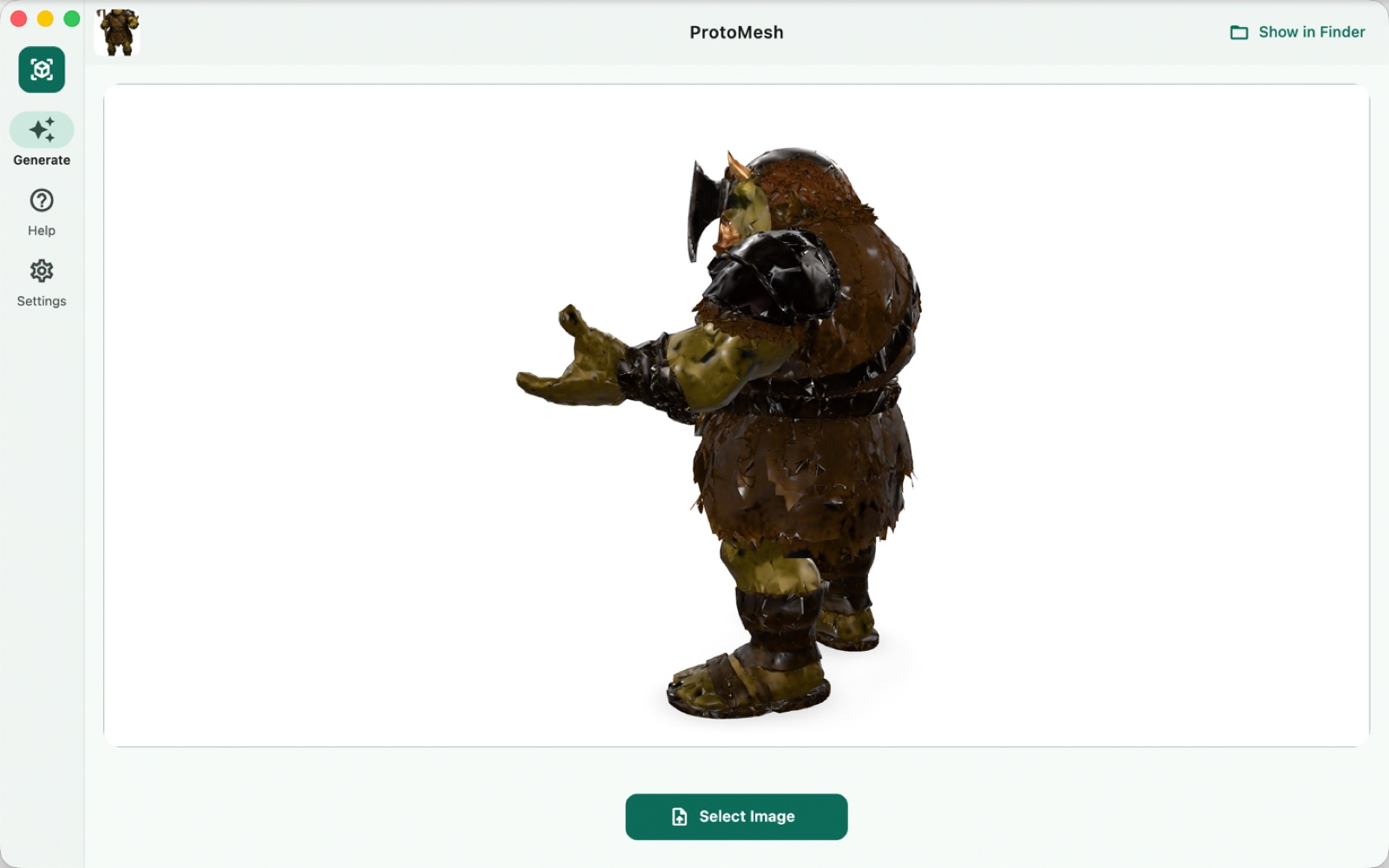
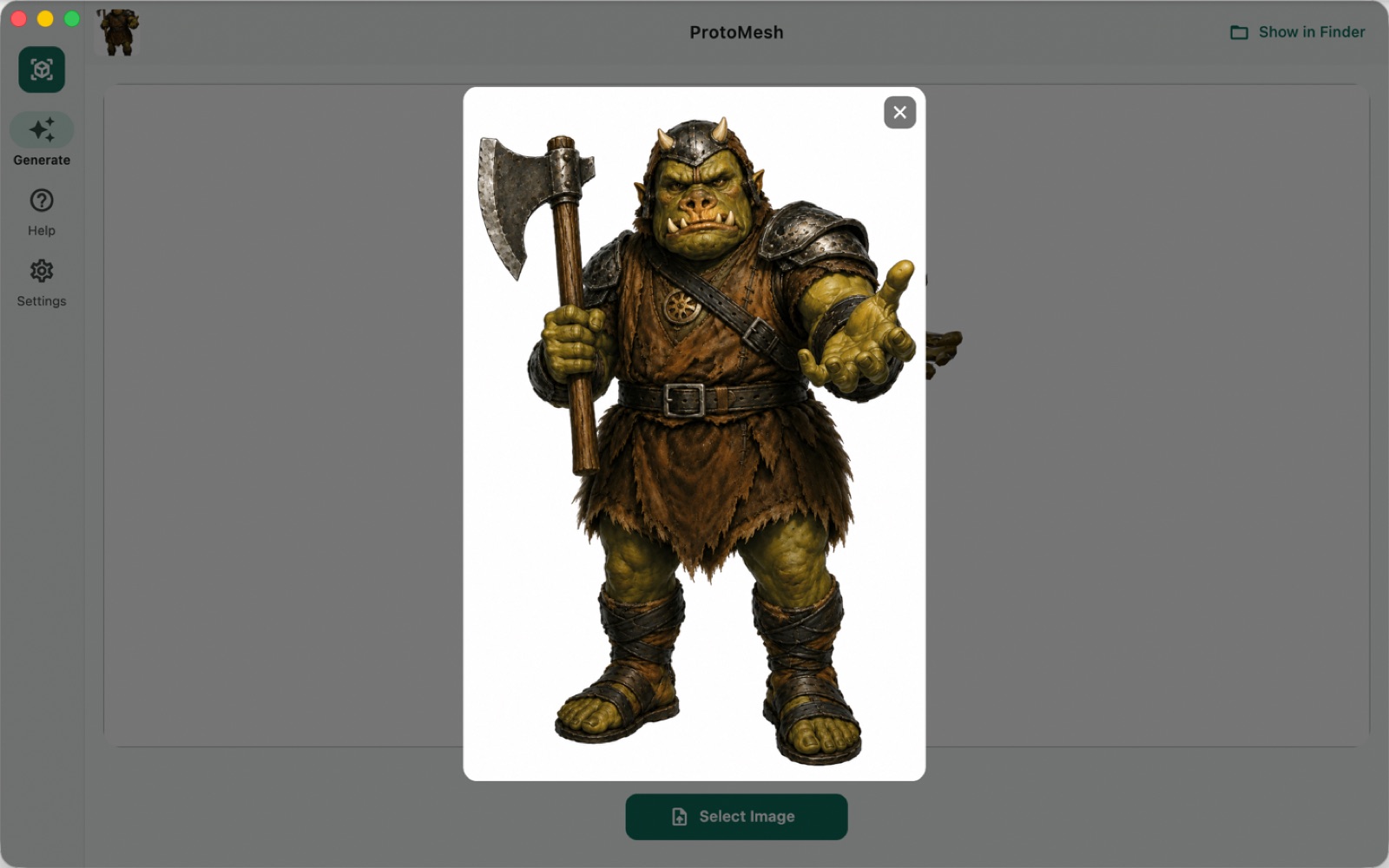
The orc above came out of a single illustration: around 50,000 faces in the Draft preset with 1024-pixel PBR textures, generated in about two minutes on an M-series Mac, then exported as one self-contained file.
Two quality presets
You pick the trade-off in Settings → Generation Quality; both are available in the free version.
| Draft | High | |
|---|---|---|
| Mesh | ≈50k faces | ≈200k faces |
| Textures | 1024² PBR | 2048² PBR |
| Time on an M-series Mac | about 2–3 minutes | longer — worth it for close-ups |
| Memory | 16 GB Macs are fine | 24 GB or more recommended |
Draft is the default. Iterate in Draft until the concept is right, then switch to High for the take you keep — the same picture, the same file format, just more faces and larger textures.
Built for the engine you already use
The export is one .glb file: glTF 2.0 Binary with the PBR textures embedded, the format Blender, Unity, Unreal, Godot and three.js all read natively. No plug-in, no converter step, no separate texture folder to lose. Drop it into a scene and it stands there lit correctly, because metalness and roughness ride along with the base color.
The model download, once
The TRELLIS.2 weights are about 11 GB and are fetched on first launch — with parallel transfers that resume from the exact byte if interrupted, and a progress bar in the app. If your connection is slow, the same panel offers a single ZIP you can fetch with a download manager instead, hand back to ProtoMesh, and it installs it. After that everything runs fully offline.
Free version and license
The download is the whole app. Without a license you get three generations — enough to take a picture of your own through both presets and inspect the result in your engine.
| Free | License | |
|---|---|---|
| Generations | 3, then it stops | Unlimited |
| Draft preset | ✓ | ✓ |
| High preset | ✓ | ✓ |
| glTF export | ✓ | ✓ |
| Commercial use of the output | ✓ | ✓ |
| Updates | ✓ | All 3.x updates |
| Price | Free | US$6.99, once |
The counter counts finished generations, not attempts: a generation you cancel does not use one up.
Your pictures stay on your Mac
No upload, no account, no per-image fee. ProtoMesh never sends your pictures or your meshes anywhere. It makes two kinds of network request: the one-time model download on first launch from our download server (downloads.swordfishsoft.org), and once a day an update check, which fetches the list of new versions and the list of refunded orders from swordfishsoft.org — the same files for everyone. Generating needs no connection at all. See our privacy policy.
How buying works
- Download and try the free version. Open the disk image, drag ProtoMesh to Applications, let it fetch the model, and generate three times on your own pictures.
- Buy a license on this page. Checkout is run by Paddle, our reseller. You can pay by card, PayPal or any other method shown at checkout, and tax is added where it applies.
- Copy the key. It appears on this page as soon as the payment goes through, and we also email it to you. Paste it into ProtoMesh → Settings → License, and the limit is gone.
Lost your key? Email [email protected] from the address you paid with and we'll send it again.
Questions
How is this different from Meshy, Tripo or Rodin?
Those services run the model on their GPUs and see every picture you send. ProtoMesh runs TRELLIS.2 on your Mac: the picture is read where it lies, and the mesh never leaves the machine. There is also no credit meter — US$6.99 once, and generate as much as your Mac can hold. The trade: a cloud service returns a mesh in about a minute; Draft here takes two to three minutes of your own silicon.
How is this different from the ProtoMesh on the Mac App Store?
Same app, same engine, same models. The App Store version is updated through Apple; this one is updated through its own update check and licensed with a key instead of an in-app purchase. They install side by side and keep separate model caches, so trying one costs the other nothing.
Why is the model download 11 GB?
Because the whole TRELLIS.2 system ships as weights: the image encoder, the sparse and structured-latent flow networks, the VAE decoders and the texture network, plus DINOv3 for image features. Everything after the download runs without a connection.
What makes a good input picture?
One object, seen clearly, on a plain background. A character in a T-pose or A-pose, a product photo, a concept render — those work best. Pictures with heavy occlusion, several objects, or busy backgrounds ask the network to invent what it cannot see, and it will.
Can I edit the mesh afterwards?
Yes — the .glb is an ordinary mesh. Retopologize it, unwrap it, re-bake it, rig it: nothing about the export is special. The faces it ships with are what the generator produced; treat them as a starting point the same way you would treat a photogrammetry scan.
Can I use the output commercially?
Yes. TRELLIS.2 is MIT-licensed and so is DINOv3; the meshes and textures ProtoMesh generates from your pictures are yours, free version or licensed.
Which Macs does it run on?
Any Mac with Apple Silicon (M1 or later) and macOS 14 Sonoma or later. 16 GB of memory is comfortable for the Draft preset; High quality wants 24 GB or more. Intel Macs are not supported.
Is there a Windows version?
Not yet. If enough people ask for one, we will make it, and the same license will cover it. Tell us at [email protected].
macOS asks whether I'm sure I want to open it. Is that normal?
Yes. The first time you open any app downloaded from a website, macOS asks once. Check that the message says Apple checked it for malicious software and none was detected, then click Open: the app is signed with our Apple Developer ID and notarized by Apple.
What if it doesn't work for me?
Every purchase has a 14-day money-back guarantee.
Sold by Chongqing Swordfish Technology Co., Ltd. (SwordFishSoft). Our order process is conducted by our online reseller Paddle.com. Paddle.com is the Merchant of Record for all our orders. Terms · Refund policy · Privacy. Models: TRELLIS.2-4B (Microsoft, MIT) and DINOv3 (Meta, DINOv3 License), run with MLX (MIT) on Apple Silicon. The orc in the screenshots was generated by ProtoMesh from an AI-generated illustration.