Mac · 45 fields · scanned pages read on-device · command line
A rent roll where every field can point back at its page.
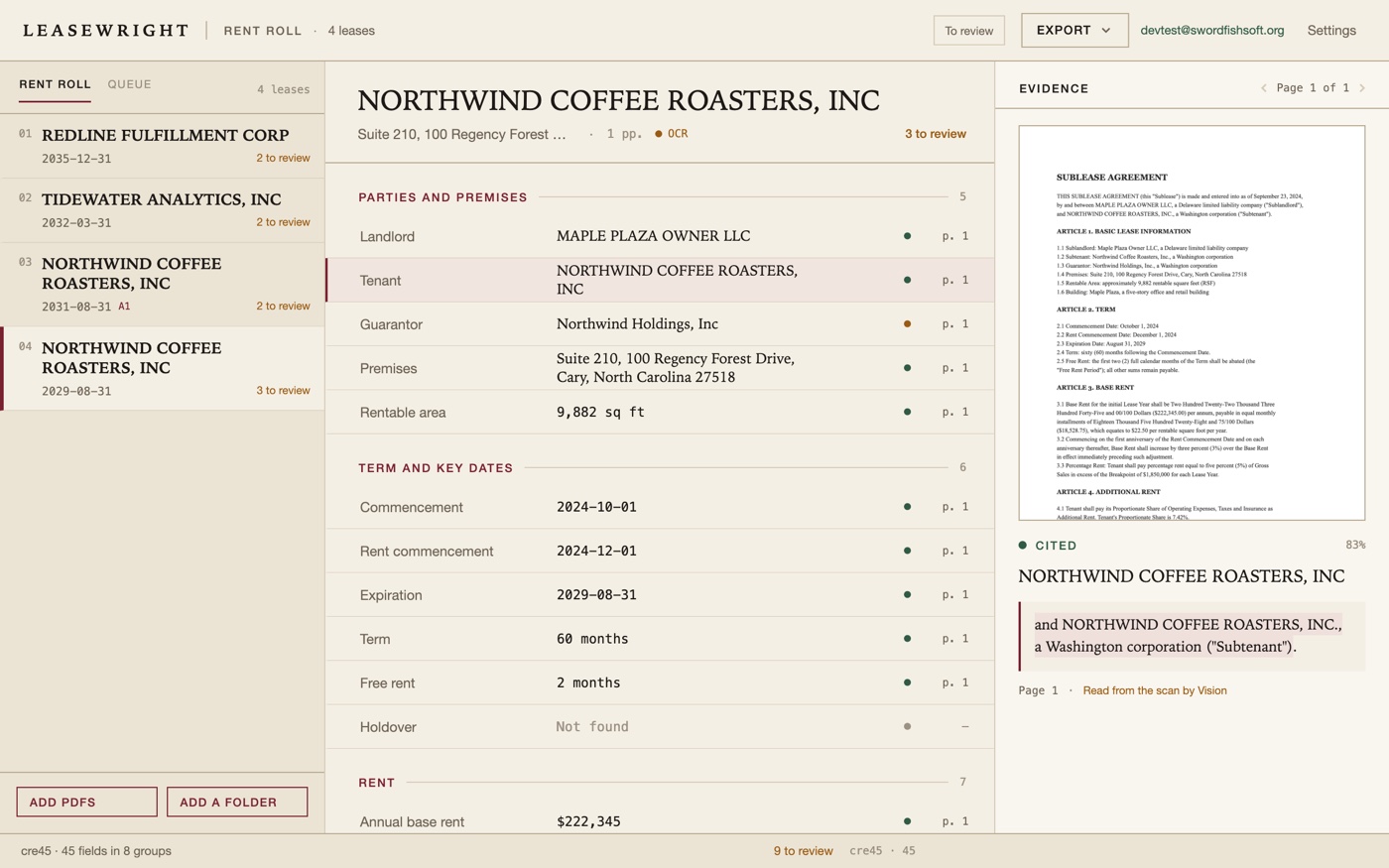
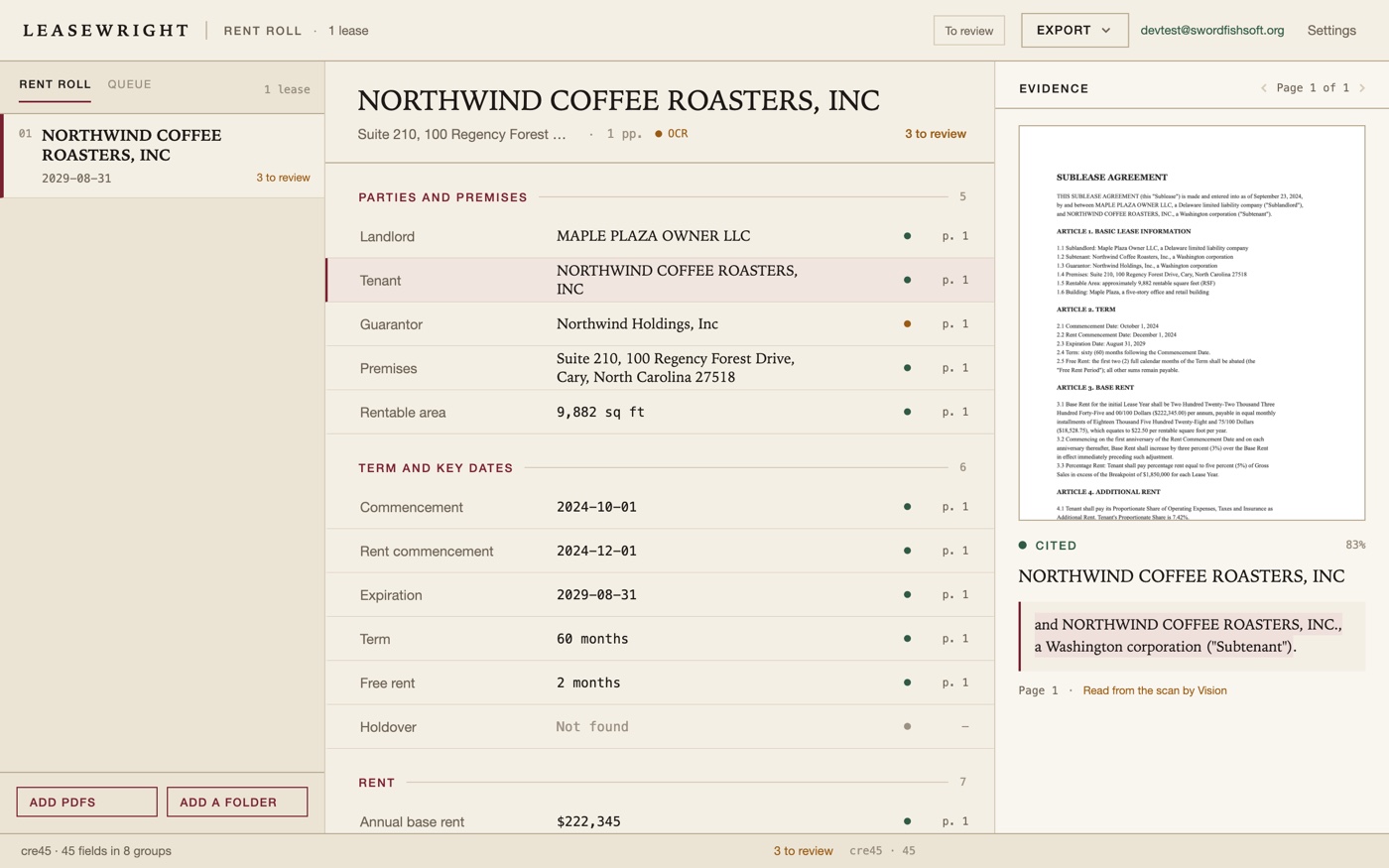
Drop in a folder of commercial leases and get one row per lease — parties, term, rent, options, deposit — with the page number and the sentence behind every value. Leasewright reads the PDFs on your Mac; the files are never uploaded, and there is no account and no subscription.
US$6.99 one-time license · free version included
Version 1.0.0 · macOS 14 Sonoma or later, Apple Silicon · 25 MB download · no model download, nothing leaves your Mac
One-time purchase · all 1.x updates included · 14-day money-back guarantee
Your license key
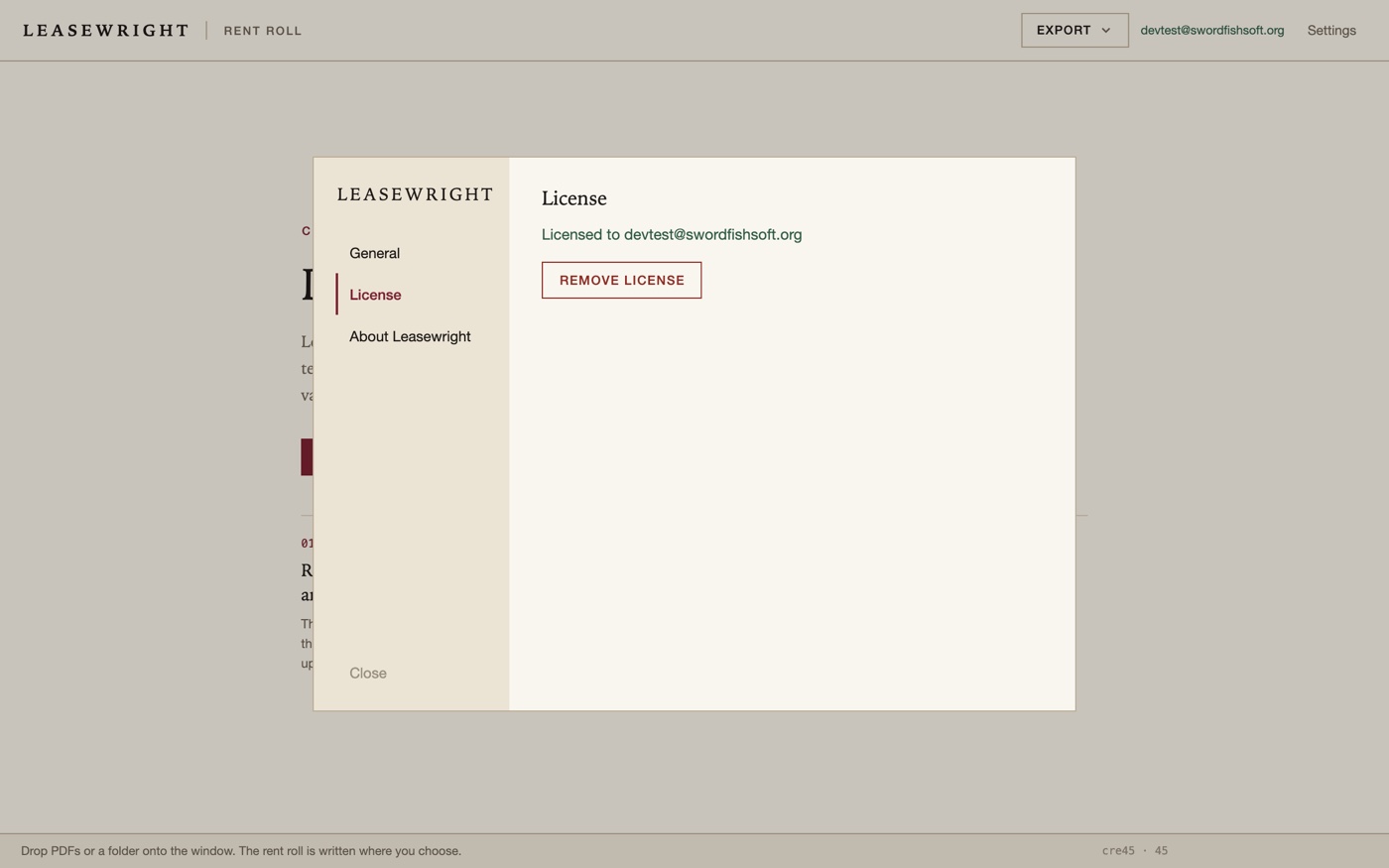
Open Leasewright → Settings → License → Enter license key and paste the whole line. The key is checked on your Mac, works offline and covers every 1.x version.
What you get
Leasewright reads a lease the way an analyst does, but faster: it finds the clause, writes down the value, and keeps the page and the quote next to it. Forty-five fields in eight groups:
- Parties and premises — landlord, tenant, guarantor, suite and address, rentable area.
- Term and key dates — commencement, rent commencement, expiration, term in months, free rent, holdover.
- Rent — annual, monthly and per-square-foot base rent, escalation, the schedule, percentage rent.
- Additional rent — CAM, CAM cap, base year, taxes, insurance, utilities, and whether the lease is NNN, gross or base-year.
- Options — renewal options and notice period, termination, expansion, right of first refusal.
- Deposit and credit — security deposit, letter of credit, guaranty.
- Use and restrictions — permitted, exclusive and prohibited use, co-tenancy, radius restriction.
- Obligations — maintenance, TI allowance, signage, insurance required, repairs.
A folder, timed file by file
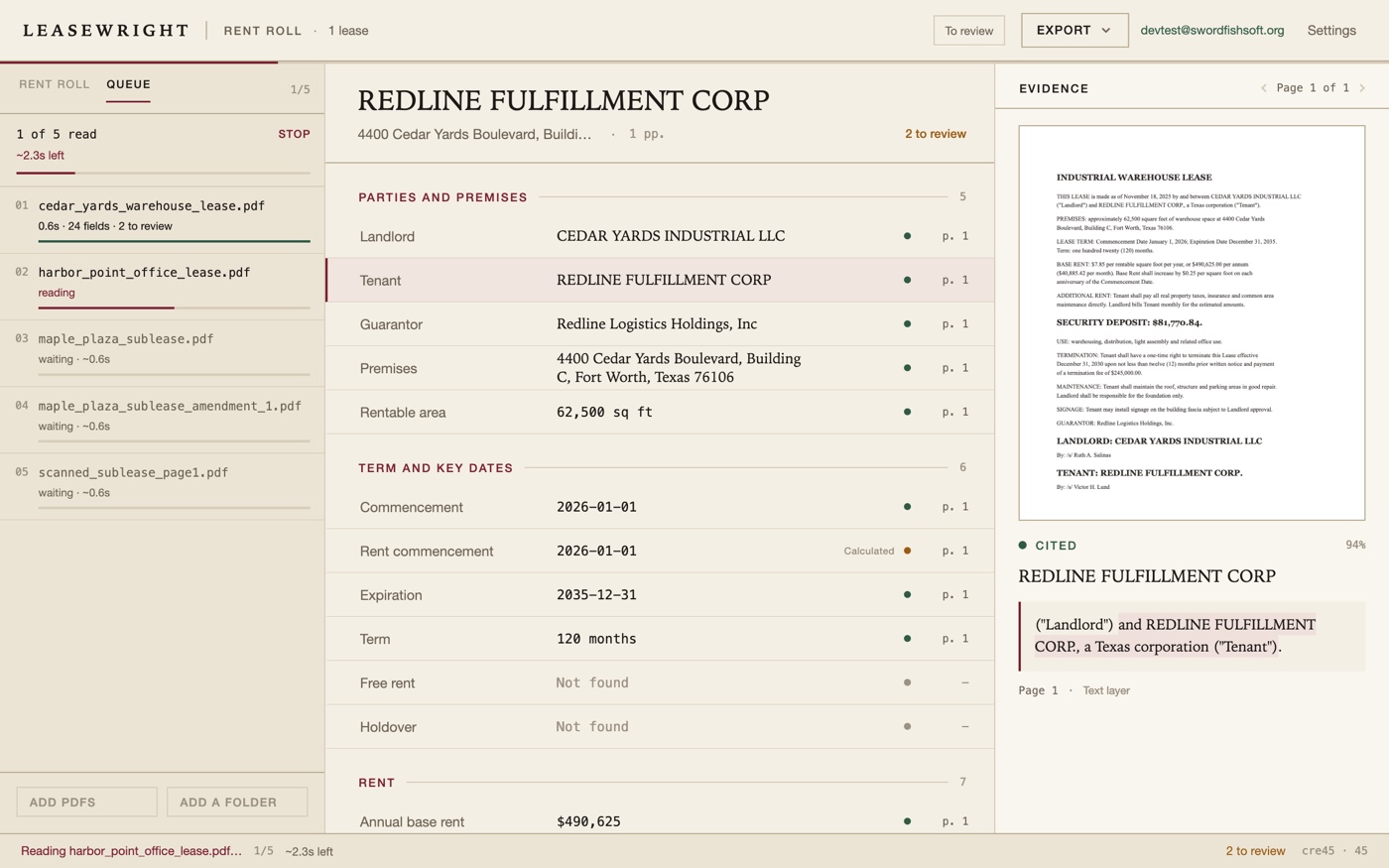
Point Leasewright at a folder and the queue opens beside the rent roll: every file, its status, the seconds it took, and an estimate of what is left. One slow scan does not hide the other nine, and a file that cannot be read is named instead of being skipped quietly. Each row opens the lease it produced.
It says when it is unsure
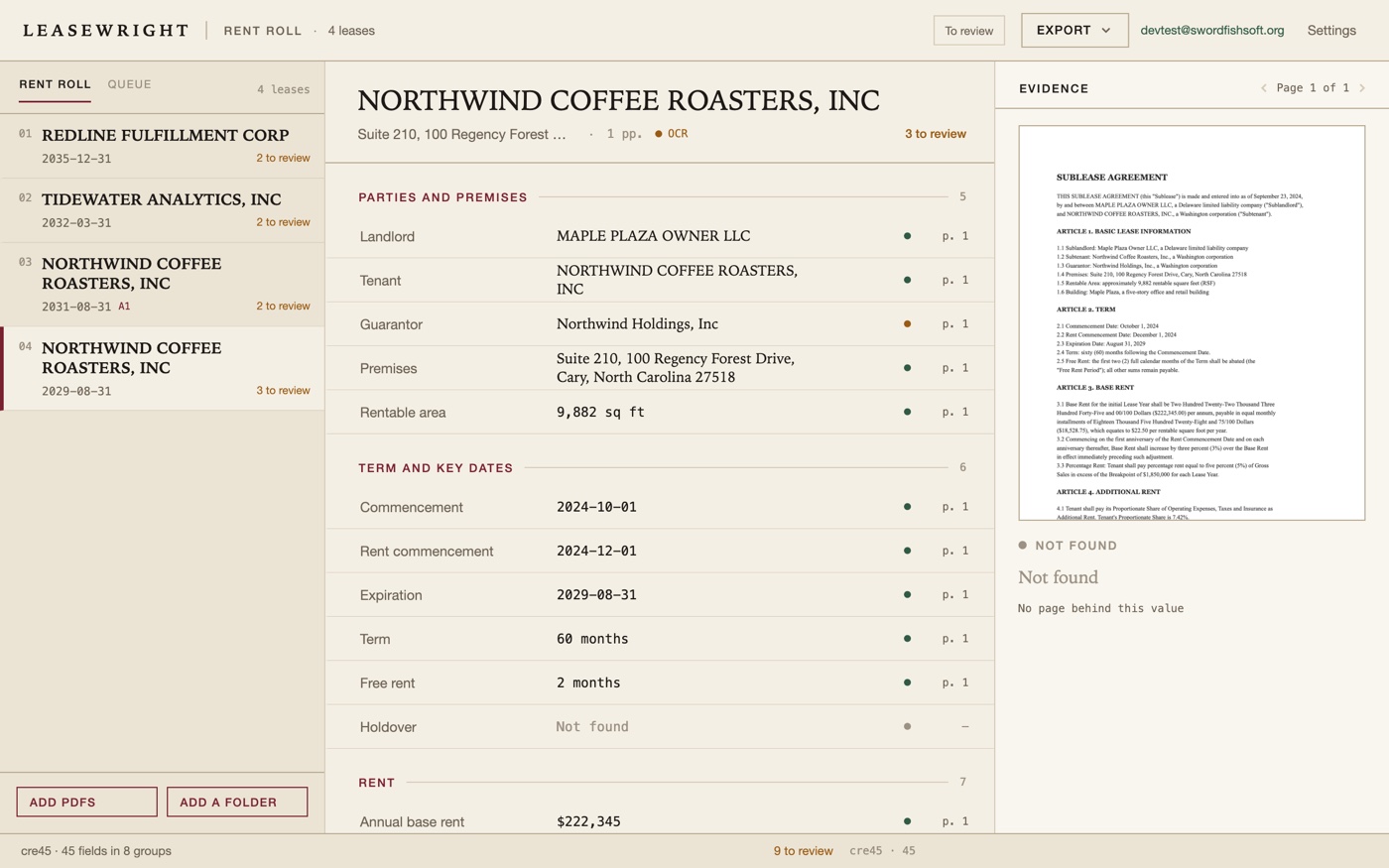
Every value carries the page and the sentence it came from. When a quote cannot be found on the page it names, the field is marked needs review and is counted separately — it is never quietly exported as if it were checked. If the same field appears twice with different values, that is marked too. Fields you correct are recorded with the time and the old value, so the rent roll has a working paper behind it.
This is a draft that is built to be reviewed, not an autopilot that asks for trust. A lease that hides its CAM cap in an exhibit will still need a person to look; what you get is a correct map of where to look, and a clean row once you have.
An amendment can be dropped in with the lease: fields it changes are updated in place, and the earlier value stays in the field's history with the amendment's name.
Scans, on this Mac
Pages with no text layer are read with Apple's Vision framework, the optical character recognition built into macOS. There is no model to download, no Python, no external runtime, and nothing to sign in to. The scan never leaves the machine. Pages read that way are labelled in the evidence pane, and their fields are treated with a little more suspicion.
Command line & AI assistants
Leasewright includes leasewright, a standalone command that uses the same engine. Point it at one PDF or a folder, write the rent roll to XLSX, and read one JSON line per lease. An assistant that can run commands on your Mac, such as Claude Code or Codex, can do the folder for you — and the documents still never leave the computer.
leasewright abstract ~/Deals/Maple-Plaza --out rentroll.xlsx --recursive
leasewright abstract ~/Deals --out rentroll.xlsx --recursive --json
leasewright license status
leasewright schema list- Made for scripts.
--jsonprints one line per file and a summary line; progress goes to stderr; the exit codes are fixed. It never prompts. - Honest about failure. A file that cannot be read does not stop the others, and the exit code tells a script what happened.
- Same fields, same pages. The command and the window produce the same values, because they are the same code reading the same PDF.
Prompt for your AI assistant
Paste this into Claude Code, Codex or another assistant that can use your Terminal, then say what you want done.
I have Leasewright on my Mac. It abstracts commercial leases offline and has a command-line tool:
"/Applications/Leasewright.app/Contents/Helpers/leasewright"
Run it with --help first. Usage:
  leasewright abstract <files or folders> [--out rentroll.xlsx] [--recursive] [--json] [--schema cre45] [--min-confidence 0.6] [--skip-existing]
  leasewright license status
  leasewright schema list
A folder needs --recursive. Each of the 45 fields carries the page and the quote it came from; fields that need a person are counted, not hidden.
With --json, stdout has one JSON line per file and a final {"type":"summary"} line; progress goes to stderr.
Exit codes: 0 all read, 1 some files failed, 2 bad arguments or no PDF, 3 needs a license, 4 models missing (not used in 1.0), 5 a field is below --min-confidence, 130 interrupted.
If you get exit code 3, tell me instead of working around it. Don't delete or move my PDFs.
My task:
Free version and license
The download is the full app. Without a license it reads two leases at a time and shows the 15 basic fields — parties, term, base rent, deposit — so you can check the result on your own documents. A license removes the limits and adds the XLSX rent roll, JSON, the rest of the fields, amendments, folders and the command line.
| Free | License | |
|---|---|---|
| Leases per run | 2 | Whole folders |
| Fields | 15 | 45 |
| Page and quote behind every value | ✓ | ✓ |
| Scanned pages | ✓ | ✓ |
| XLSX rent roll, JSON, key-date CSV | — | ✓ |
| PDF summary | With watermark | ✓ |
| Amendments merged into a lease | — | ✓ |
| Command line for scripts and AI assistants | — | ✓ |
| Price | Free | US$6.99, once |
Your leases stay on your Mac
No upload, no account, no subscription, no analytics. Leasewright makes one kind of request on its own: an update check, once a day, for a public file on our download server, the same file for everyone — it contains no document, no key and nothing we add about you, and you can turn it off. License keys are verified offline. Version 1.0 downloads no models. See the privacy policy.
How buying works
- Try the free version. Open the disk image, drag Leasewright to Applications, and open a lease of your own.
- Buy a license on this page. Checkout is run by Paddle, our reseller. You can pay by card, PayPal or any other method shown at checkout, and tax is added where it applies.
- Copy the key. It appears on this page when the payment goes through, and we email it to the address you paid with. Paste it into Leasewright → Settings → License.
Lost your key? Email [email protected] from the address you paid with and we'll send it again.
Questions
How accurate is it, and what happens when it is wrong?
Leases follow conventions, and Leasewright is built around them: it reads labels, dates, money and the clause that states an option, then checks that the sentence it cites is on the page it names. Anything that does not check out is marked needs review — it is not silently guessed. Treat the first run on a new lease form as a draft to review; after that the same form is quick.
Does it replace a lawyer or an abstractor?
No. It produces the rent roll and the evidence trail; a person still decides. The difference is that the person starts from a table that points at the clause, instead of 80 pages and a blank spreadsheet.
Is it really offline?
Yes for the part that matters: your PDFs, the text extracted from them and the rent roll never leave the Mac. The app contacts our server only for the daily update check, which you can switch off, and opens a web page or your mail program only when you click a link.
Can my AI assistant use it?
Yes, that is what the command line is for. Assistants that run on your computer can call leasewright and read the JSON it prints.
Which Macs does it run on?
Any Mac with Apple Silicon (M1 or later) and macOS 14 Sonoma or later. Intel Macs are not supported.
Does it read Chinese leases?
Scanned pages can be read in Chinese and English by Apple's Vision, and the window is available in 简体中文. The field rules were written for English-language commercial leases first; a Chinese lease with English labels works best today. Try the free version on your own documents before buying.
Is there a Windows version?
Not yet: Leasewright is Mac-only for now. If enough people ask for one, we will make it, and the same license will cover it. Tell us at [email protected] if you want it.
What if it doesn't work for me?
Every purchase has a 14-day money-back guarantee.
Sold by Chongqing Swordfish Technology Co., Ltd. (SwordFishSoft). Our order process is conducted by our online reseller Paddle.com. Paddle.com is the Merchant of Record for all our orders. Terms · Refund policy · Privacy. Reading uses Apple's PDFKit and Vision frameworks, which are part of macOS; no third-party model weights are included or downloaded. The leases in the screenshots were written for this page.