Mac · SoMark OXR on your own computer · tables, formulas, scans · command line
Leaflift: PDF to Markdown, on your own Mac
Drop in a PDF, or a whole folder of them, and get Markdown you can paste into a wiki, a notes app or an AI chat: tables keep their merged cells, formulas come out as LaTeX, code stays code, and scanned pages are read too. The model runs on your Mac; your documents never leave it.
US$6.99 one-time license · free version included
Version 1.0.1 · macOS 14 Sonoma or later, Apple Silicon · 54 MB download, plus a one-time 1.6 GB model download on first launch
One-time purchase · all 1.x updates included · 14-day money-back guarantee
Your license key
Open Leaflift → Settings → Purchase → License key and paste the whole line. Keep a copy somewhere safe: the key works offline, on all of your own Macs, for every 1.x version.
What you get
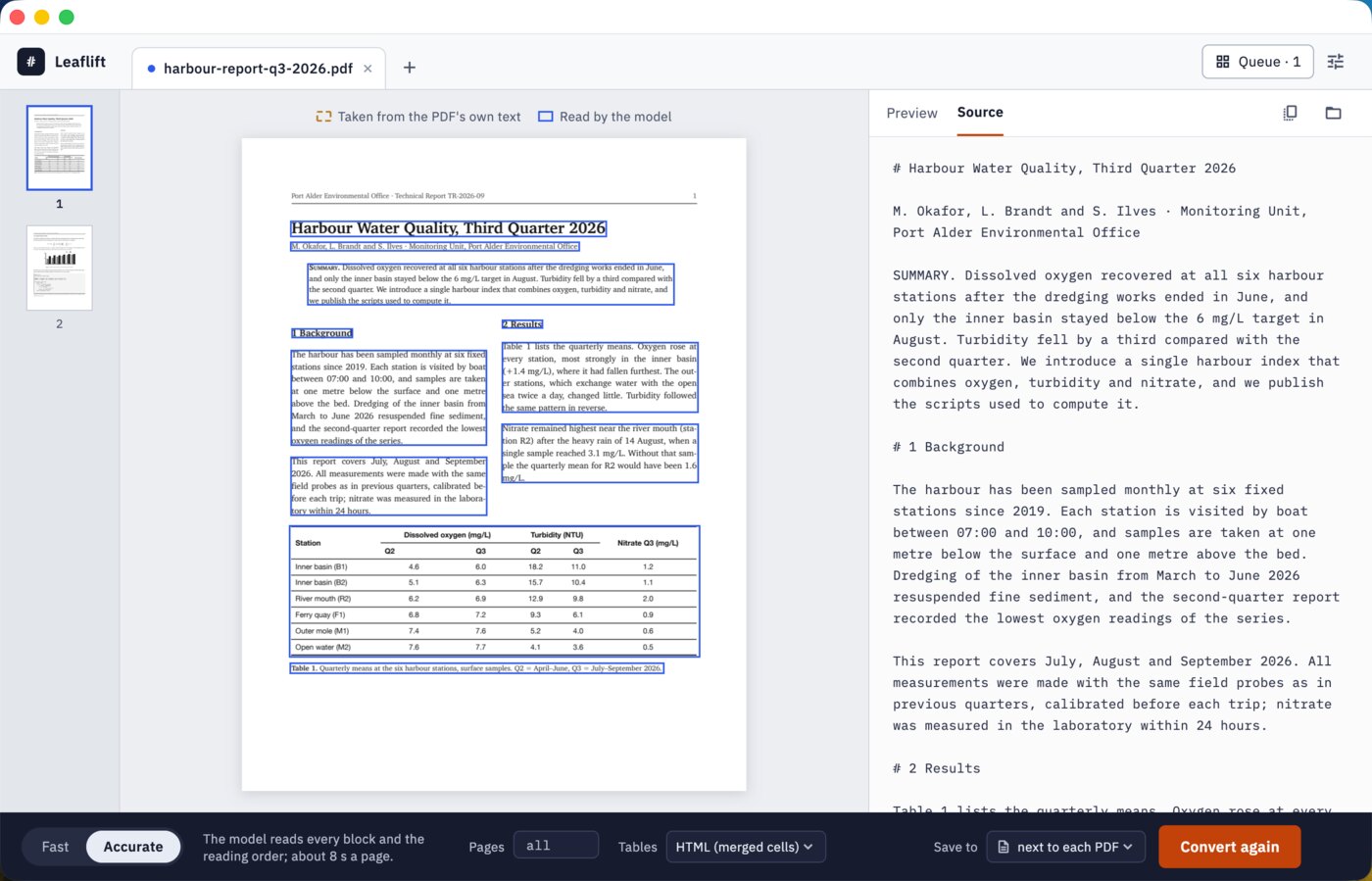
Leaflift writes one .md file per PDF, next to the PDF or in a folder you choose, plus a folder with the pictures it cut out. What it does with each part of a page:
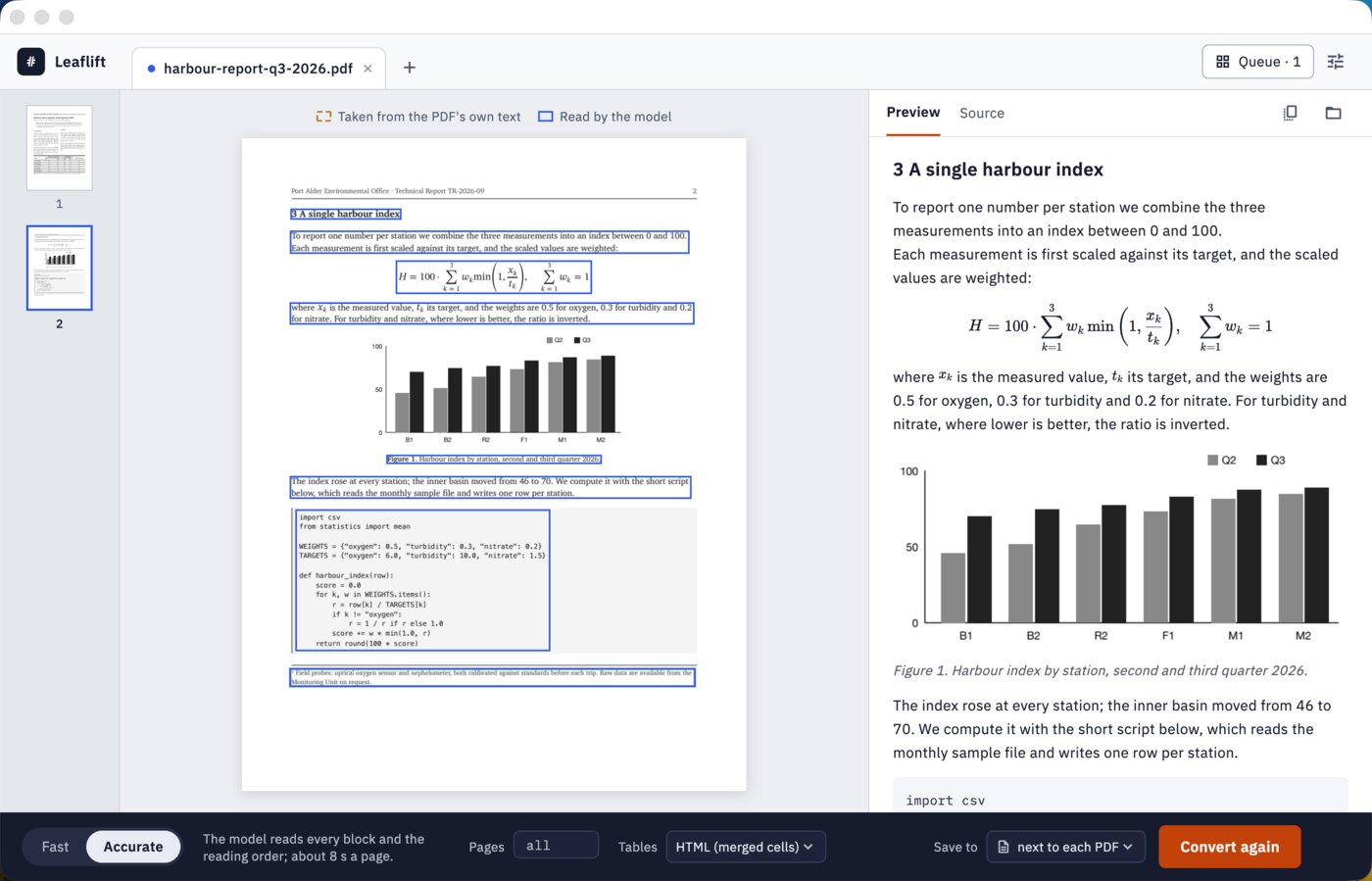
- Tables come out as HTML tables that keep merged cells, which Markdown's own tables can't express, or as plain Markdown tables if you prefer.
- Formulas become LaTeX,
$$…$$for display formulas and$…$inside text, with equation numbers kept outside the formula. - Scanned pages and photographed documents, with no text in the PDF at all, are read by the model like any other page.
- Code stays in fenced code blocks with its indentation, headings become
#headings, pictures are saved as PNG files and linked, and running page headers and footers are left out. - Reading order is decided by the model in accurate mode, so a two-column paper reads its left column first, then the right.
Built on SoMark OXR, a state-of-the-art document model
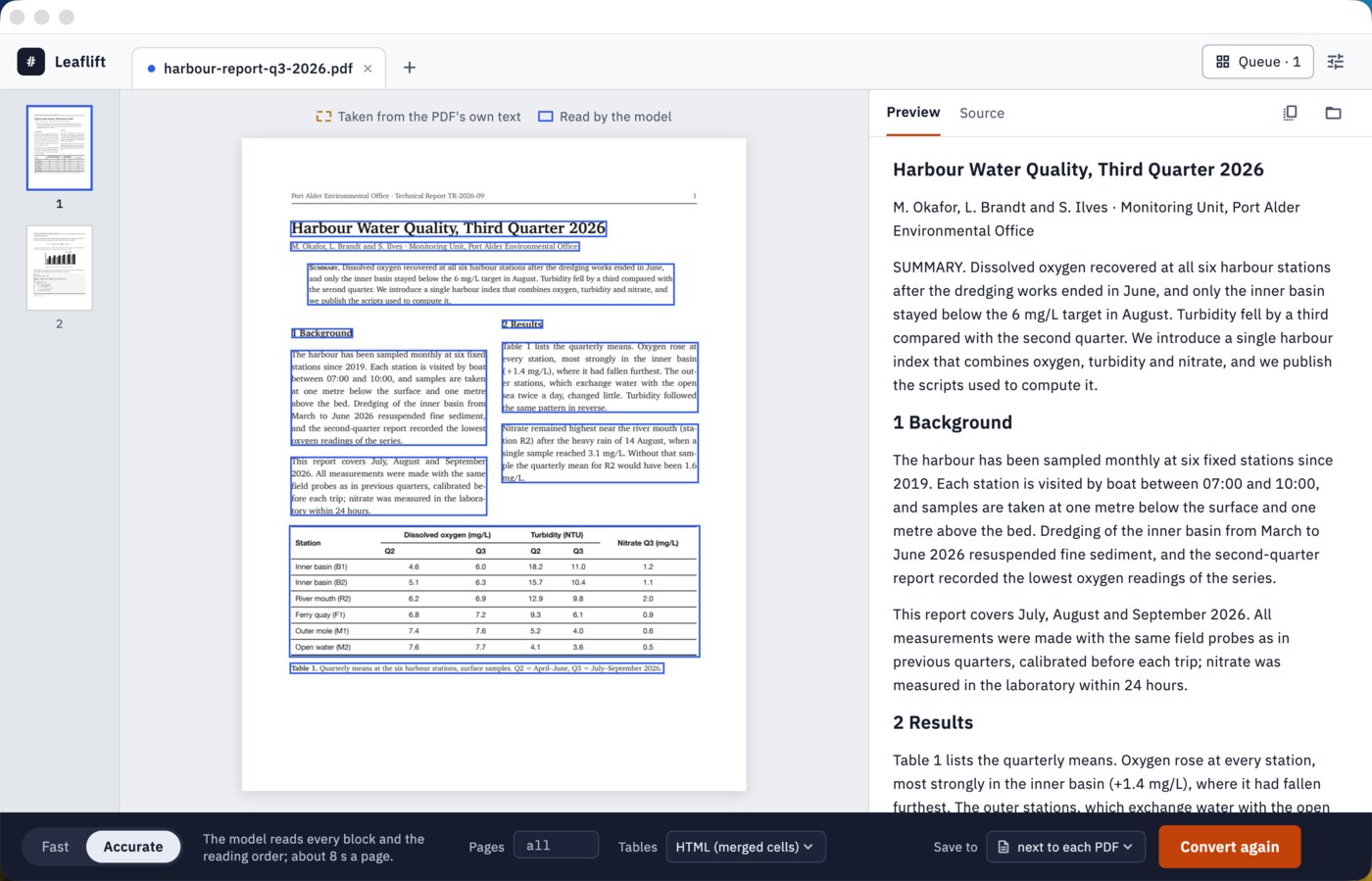
Leaflift's reading is done by OXR-1.0, an open document-parsing model from SoMark with 1.3 billion parameters. It looks at each block of a page, a paragraph, a table, a formula, and writes out what it says, then decides the order in which the blocks are read. SoMark reports that it ranks first on the three public document-parsing benchmarks below:
| Benchmark (overall score) | OXR-1.0 | Next best, as listed by SoMark |
|---|---|---|
| olmOCR-Bench | 87.84 | 87.60 (Infinity-Parser2-Pro) |
| OmniDocBench | 97.18 | 96.91 (TeleOCR) |
| DocParsingBench | 87.76 | 85.17 (PaddleOCR-VL-1.6) |
Figures from SoMark's published benchmark page, read 29 October 2026; SoMark ran them on its own GPU servers at full precision. We have not re-run these benchmarks on Leaflift.
SoMark serves OXR from data-centre GPUs. We made it run on a Mac instead:
- Our own engine. Leaflift runs OXR in an 8-bit build through llama.cpp on the Mac's GPU (Metal), with the D-FINE layout model in ONNX Runtime and PDFium for the PDF itself, all inside the app.
- Checked against the original. Run through SoMark's own pipeline on our test pages, the 8-bit model gave character-for-character the same text as SoMark's full-precision model for 202 of 213 blocks. Its image features are closer to full precision (cosine similarity ≥ 0.9997) than those of SoMark's own bf16 server.
- Two modes. Accurate lets the model read every block and decide the reading order, like SoMark's own pipeline: about 8 seconds a page on an M2 Max. Fast takes plain text straight from the PDF where it can and uses the model only for tables, formulas, code and scanned pages: about 3 seconds a page. The blue and orange outlines in the app show which was used for each block.
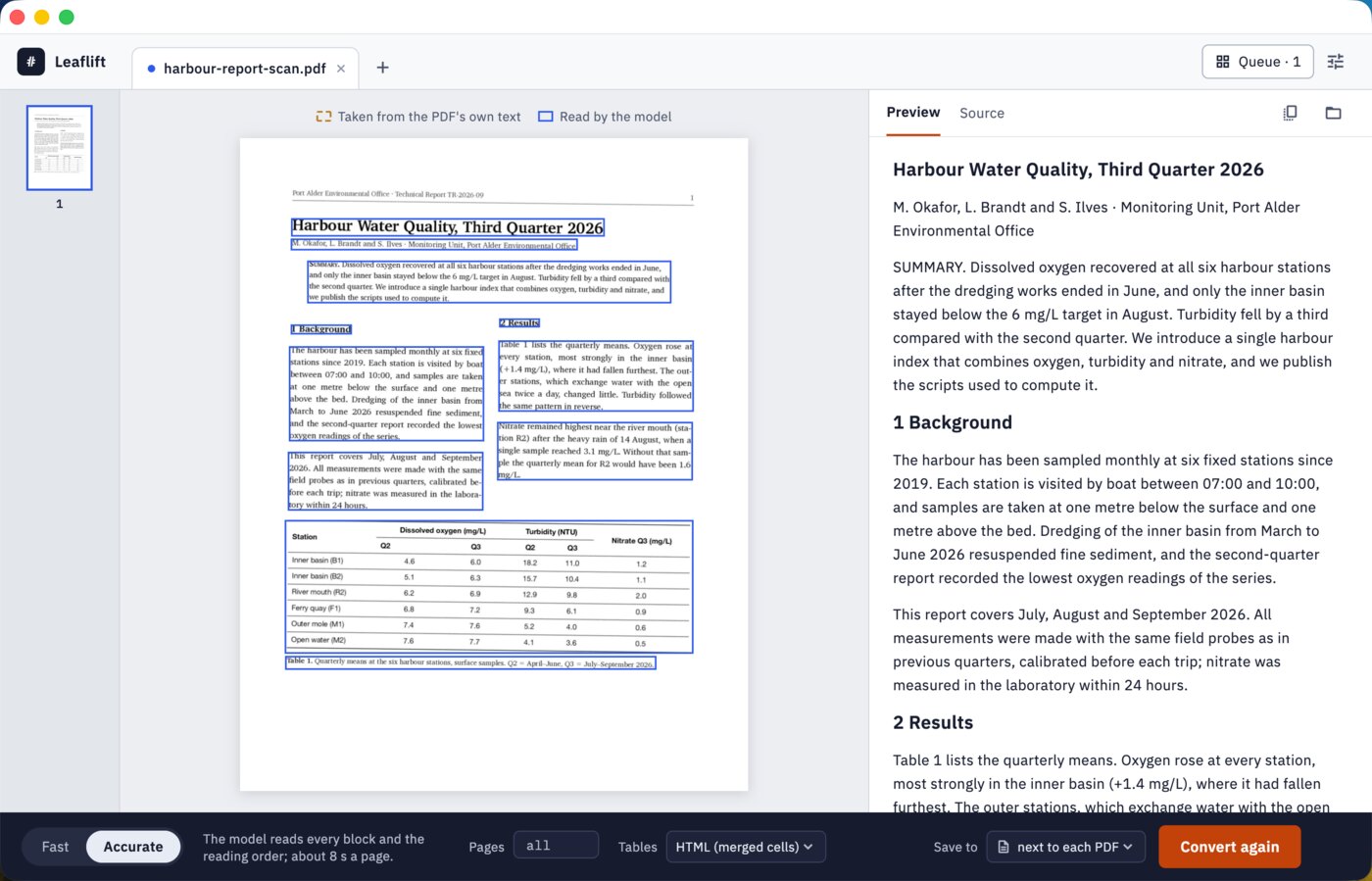
A scan with no text layer at all: every block is outlined in blue because the model read it, table included.
Whole folders at once
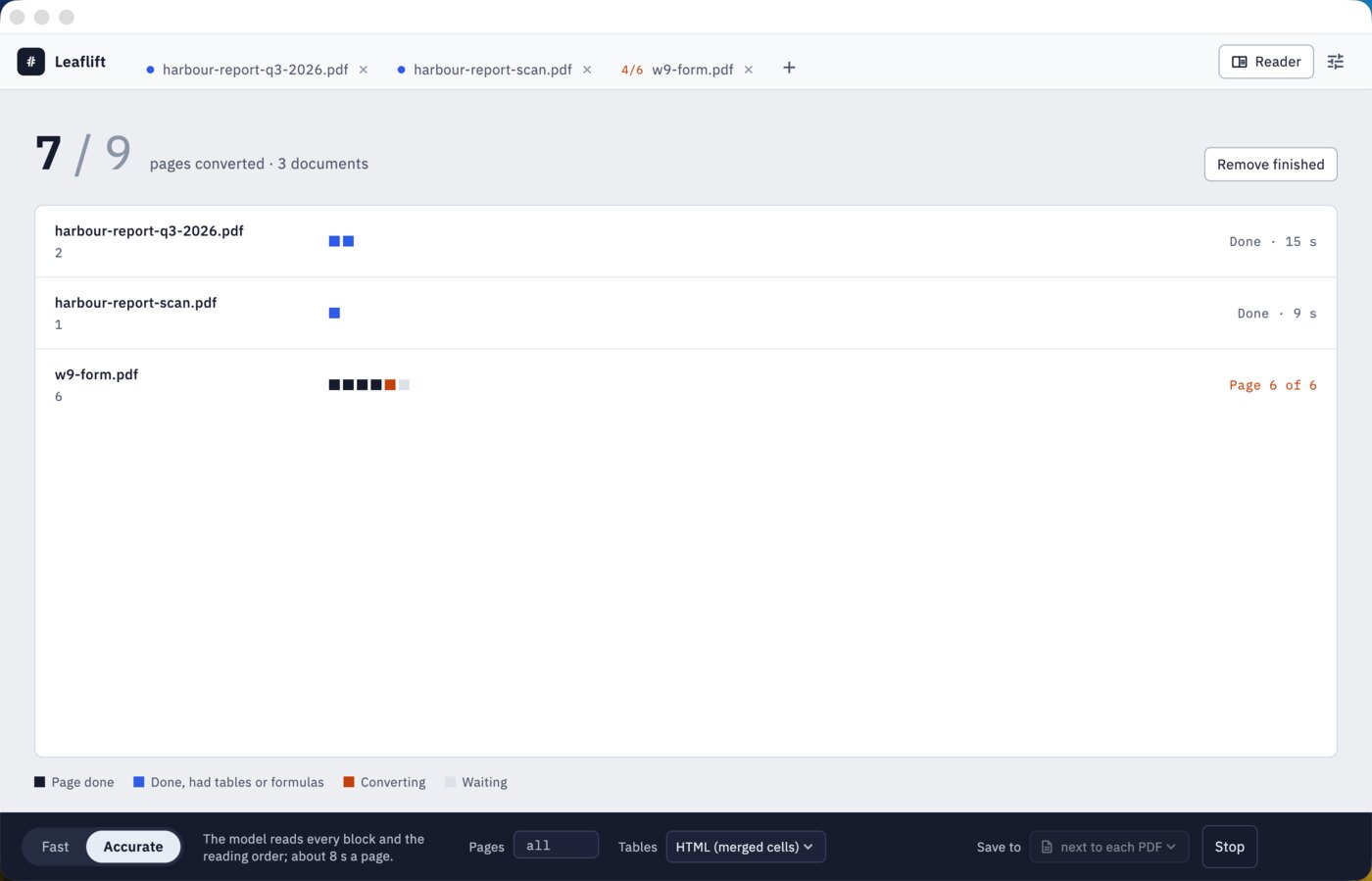
Drop a folder on the window, or several, and Leaflift converts every PDF in it, one after another, with a grid that shows each page as it is done. A document that fails doesn't stop the others, a password-protected PDF waits for its password, and you can stop at any time. Pages already read are kept, so converting the same PDF again, after a stop or with a different table format, only reads the pages that are new.
Command line & AI assistants
Leaflift includes leaflift, a command-line tool that uses the same engine, the same models and the same settings as the app. Convert one file or a tree of folders from Terminal, from a script, or hand the job to an AI assistant that can run commands on your Mac, such as Claude Code or Codex. “Turn the PDFs in my Papers folder into Markdown and summarise each one” becomes one command it runs for you, and your documents still never leave your computer.
--json, then the first lines of the Markdown.leaflift report.pdf # report.md + report_images/ next to it
leaflift ~/Papers -r -o ~/Markdown --json # a whole tree, one JSON line per file
leaflift scan.pdf --mode accurate --tables markdown
leaflift thesis.pdf --pages 1-12 --stdout | pbcopy- Made for scripts and agents.
--jsonprints one line per file (input, output, pages, seconds) and a summary line; progress goes to stderr; the exit codes are fixed. There are no prompts and no questions: it never waits for input. - Safe to re-run. A file whose Markdown already exists is skipped unless you add
--overwrite, and pages read before are reused, so an interrupted batch picks up where it stopped. - Every option of the app. Fast or accurate mode, page ranges, HTML or Markdown tables, pictures or not, page headers kept or dropped, Markdown or JSON with every block's type, position and source.
- Nothing to set up. The tool is inside the app. Settings → Command Line → Install gives you one line to paste into Terminal, after which
leafliftworks in any window; or call/Applications/Leaflift.app/Contents/Helpers/leafliftdirectly.
Prompt for your AI assistant
Paste this into Claude Code, Codex or another assistant that can use your Terminal, then say what you want done.
I have Leaflift on my Mac. It converts PDFs to Markdown offline with the SoMark OXR model, and has a command-line tool:
"/Applications/Leaflift.app/Contents/Helpers/leaflift"
(also on my PATH as leaflift if I installed it). Run it with --help first. Usage:
  leaflift <files or folders> [-r] [-o <dir>] [--mode fast|accurate] [--pages 1-3,7] [--tables html|markdown] [--json]
  leaflift models                         where the models are and whether they are complete
Without -o, it writes <name>.md and <name>_images/ next to each PDF. Existing outputs are skipped unless I ask for --overwrite.
--mode fast (default) uses the PDF's own text where it can; --mode accurate lets the model read everything and is better for complex layouts and scans, about 8 s a page.
Tables are HTML (merged cells kept) unless --tables markdown; formulas are LaTeX.
With --json, stdout has one JSON line per file ({"type":"file"|"skipped"|"error", "input", "output", "pages", "seconds", …}) and a final {"type":"summary"} line; progress goes to stderr.
Exit codes: 0 all converted or skipped, 1 some files failed (the others were converted), 2 bad arguments or no PDF found, 3 needs a Leaflift license, 4 models missing (open the app once to download them), 130 interrupted.
If you get exit code 3 or 4, tell me instead of working around it. Don't delete or move my PDFs.
My task:
The command line is part of the licensed version. Without a license, leaflift shows its help and the model status, and a conversion stops with exit code 3 before it starts, so your assistant can tell you why.
Free version and license
The download is the full app. Without a license it converts pages 1 to 20 of each PDF, one PDF at a time, so you can check on your own documents that the result is what you need. A license removes the limits.
| Free | License | |
|---|---|---|
| Pages per PDF | Pages 1–20 | All |
| Tables with merged cells, LaTeX formulas, code, pictures | ✓ | ✓ |
| Scanned pages; fast and accurate modes | ✓ | ✓ |
| Whole folders in one go | — | ✓ |
| Command-line tool for scripts and AI assistants | — | ✓ |
| Updates | ✓ | All 1.x updates |
| Price | Free | US$6.99, once |
Your documents stay on your Mac
There is no upload, no account and no subscription. Leaflift never sends your PDFs, their text or their file names anywhere. It makes two kinds of network request: the one-time model download on first launch, 1.6 GB from our download server (which you can skip by pointing Leaflift at a folder where you already have the model files), and once a day an update check, which downloads the list of new versions and the list of refunded orders from swordfishsoft.org, the same files for everyone. You can turn the update check off in Settings. Converting needs no connection at all. See our privacy policy.
How buying works
- Download and try the free version. Open the disk image, drag Leaflift to Applications, and let it download the model on first launch. Then convert a PDF of your own.
- Buy a license on this page. Checkout is run by Paddle, our reseller. You can pay by card, PayPal or any other method shown at checkout, and tax is added where it applies.
- Copy the key. It appears on this page as soon as the payment goes through, and we also email it to the address you paid with. Paste it into Leaflift → Settings → Purchase, and the limits are gone.
Lost your key? Email [email protected] from the address you paid with and we'll send it again.
Questions
How is this different from Marker, MinerU or Docling?
Those are free developer tools: you install Python, a machine-learning stack and often a GPU driver, and run them from a terminal. Leaflift is an app you drag into Applications, with a window for checking each page against its Markdown, and a command line for when you want one. It uses a newer model, OXR, that SoMark reports ahead of the models those tools are built on.
And from Mathpix, or uploading the PDF to ChatGPT?
Both send your document to someone else's servers, and Mathpix is a monthly subscription that counts pages. Leaflift reads the PDF on your Mac, as many pages as you like, for a one-time price. That matters for contracts, medical records, unpublished papers and anything else you would rather not upload.
Can my AI assistant use it?
Yes, that's what the command line is for. Assistants that run on your computer, such as Claude Code or Codex, can call leaflift and read the Markdown it writes. They get text, not the PDF, and nothing goes through the cloud on Leaflift's side.
Which Macs does it run on?
Any Mac with Apple Silicon (M1 or later) and macOS 14 Sonoma or later. Intel Macs are not supported. The speeds on this page were measured on an M2 Max; try the free version to see how fast your own Mac is.
Is there a Windows version?
Not yet: Leaflift is Mac-only for now. If enough people ask for one, we will make it, and the same license will cover it. Tell us at [email protected] if you want it.
Does it handle Chinese, Japanese and other languages?
OXR reads mixed English and Chinese documents well, including tables and formulas; the screenshots on our Chinese page are a Chinese report. Other scripts work to the extent the model was trained on them. Try the free version on your own documents first.
How long does a document take?
On an M2 Max, about 3 seconds a page in fast mode and 8 in accurate mode; a page that is one big table can take 10. Slower Macs take longer. Leaflift shows the estimate for the mode you choose, and you can convert just the pages you need.
macOS asks whether I'm sure I want to open it. Is that normal?
Yes. The first time you open any app downloaded from a website, macOS asks once. Check that the message says Apple checked it for malicious software and none was detected, then click Open: the app is signed with our Apple Developer ID and notarized by Apple. If you see a message saying Apple could not verify the app, with no Open button, don't open it. Download it again from this page, and email us if the message comes back.
What if it doesn't work for me?
Every purchase has a 14-day money-back guarantee.
Sold by Chongqing Swordfish Technology Co., Ltd. (SwordFishSoft). Our order process is conducted by our online reseller Paddle.com. Paddle.com is the Merchant of Record for all our orders. Terms · Refund policy · Privacy. Powered by SoMark OXR: OXR-1.0 © SoMark, used under the OXR Open Source License (Apache License 2.0 with additional terms); Leaflift's model files are 8-bit conversions of it. D-FINE (Apache-2.0), llama.cpp (MIT), PDFium (BSD-3-Clause). The reports in the screenshots were written for this page; the W-9 form is a US government work in the public domain.