Mac · 180 curated sites · batch scans · command line · offline license
Find where a handle exists. On your Mac.
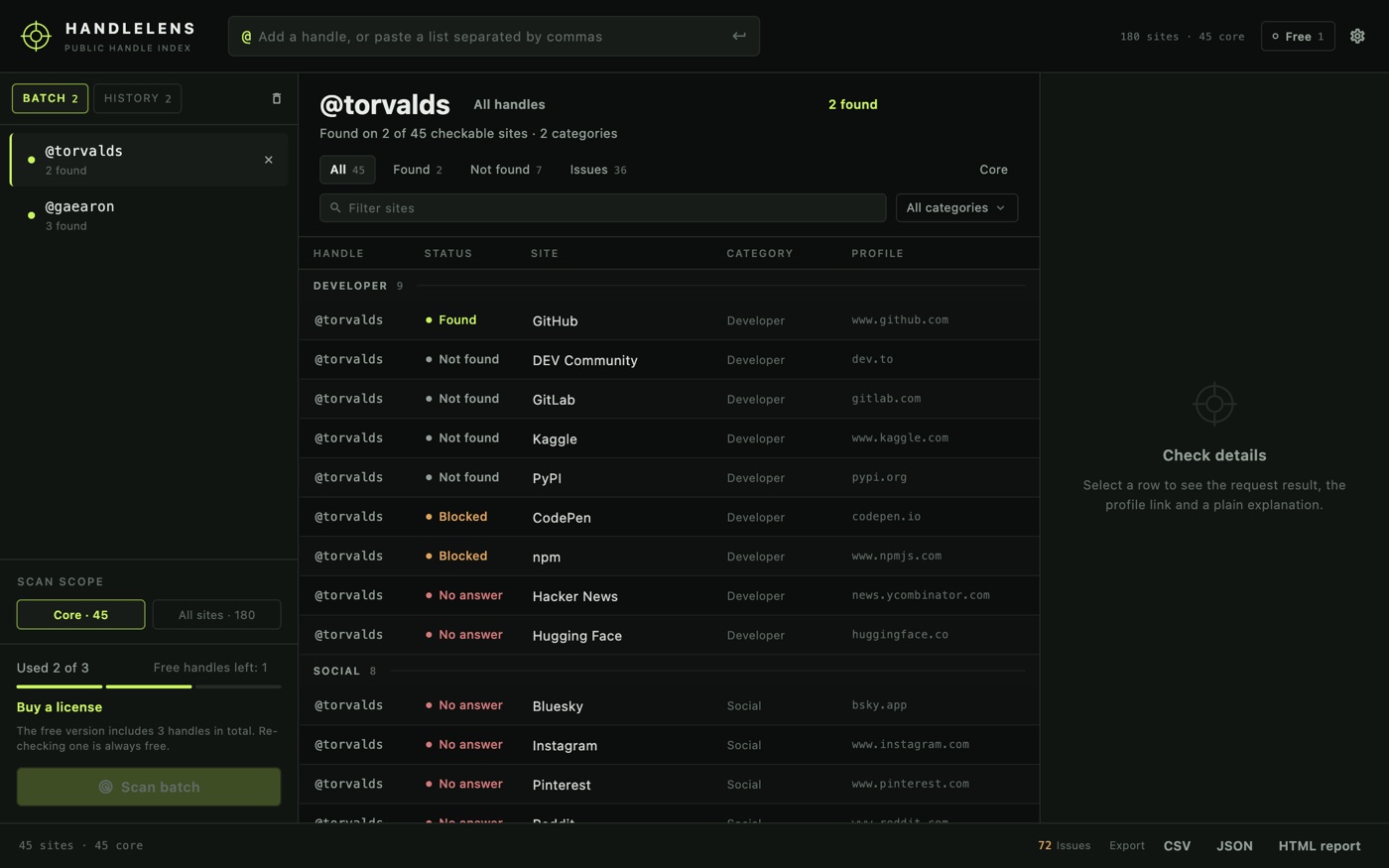
Paste one public username or a whole list. HandleLens checks each profile page across 180 curated sites, keeps the evidence behind every verdict, and exports the batch — without an account, a cloud queue or a browser tab for every site.
US$6.99 one-time license · free version: 3 usernames
Version 1.1.0 · macOS 12 Monterey or later, Apple silicon and Intel · 23 MB download · no account
One-time purchase · all 1.x updates included · 14-day money-back guarantee
Your license key
Open HandleLens → Settings → License → Enter license key and paste the whole line. The key is checked on your Mac, works offline and covers every 1.x version.
What it does
HandleLens is a local index of public profile pages. It asks each site the same question a browser would — does this username have a page here? — and writes down what came back. Nothing about the batch is sent to us.
- One handle, or a whole batch. Type a handle and press Return, or paste a list separated by commas, semicolons, tabs or new lines. Each handle keeps its own results. A local History tab remembers the last 50 checked handles, so one can be added back to a new batch without spending another free slot, or removed in place.
- 45 core sites, or all 180. The core set is the fast pass: developer, social and community sites where a handle is most likely to surface. Widen to the full catalogue of 180 sites in 12 categories when you need the long tail.
- Verdicts you can defend. Found, not found, blocked, unclear and no answer are separate outcomes. A site that refuses an automated request is never quietly reported as “not found”. Platforms that always need a signed-in session — X, Facebook, VK and Minds — appear as manual-check rows with a profile link instead.
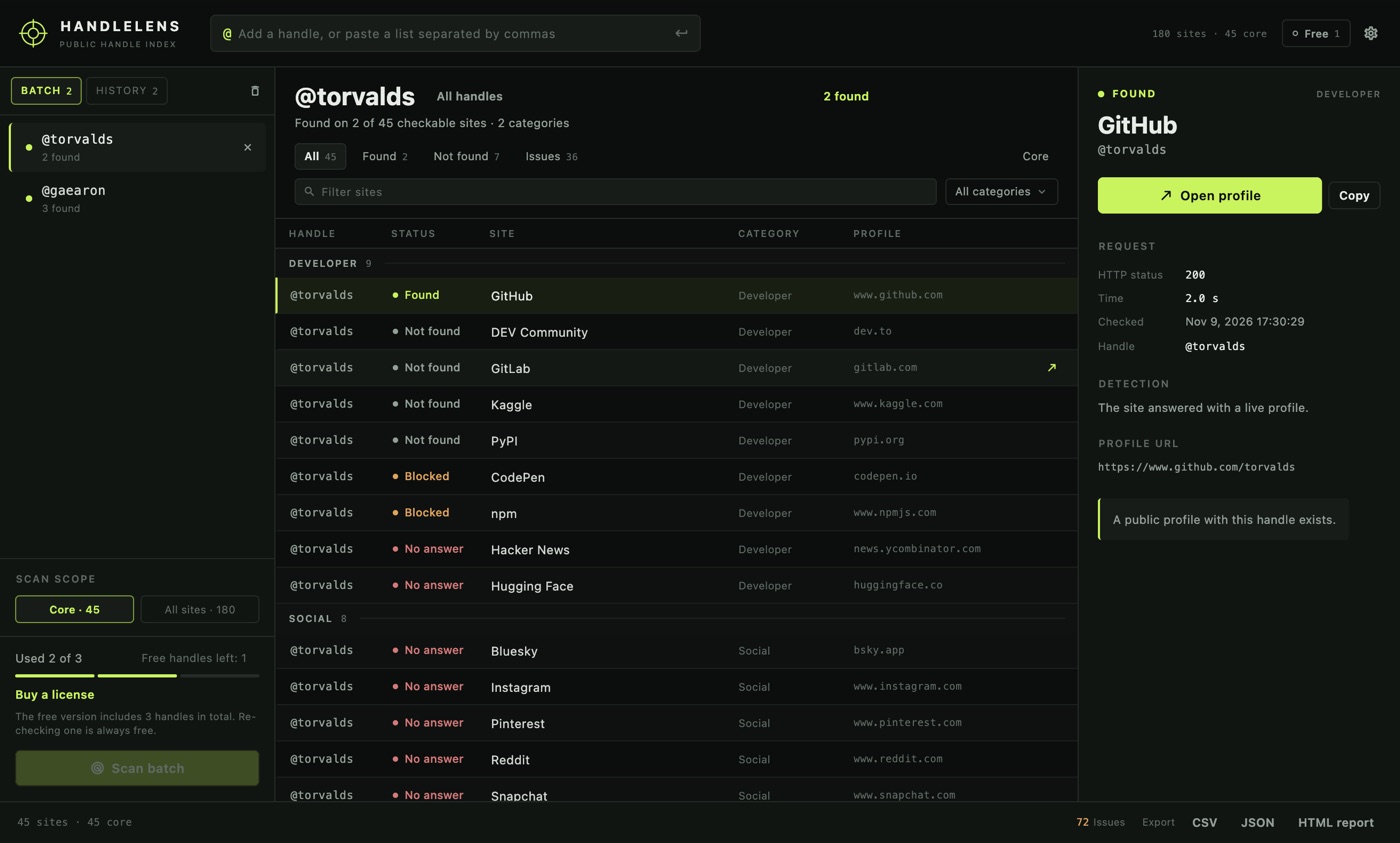
- Evidence, then export. Open any row to see the request URL, HTTP status, elapsed time and the rule that decided it. Export the batch as CSV, JSON or a self-contained HTML report.
Not a black box
A scan is a set of ordinary public-page requests. HandleLens records what it asked, what came back, how long it took and why it reached that verdict — so a surprising result can be checked instead of guessed at.
FOUND · GITLAB
GET  https://gitlab.com/api/v4/users?username=gaearon
HTTP 200 · 765 ms
rule  the site returned a valid profile
profile  https://gitlab.com/gaearon
Blocked and unclear rows are kept apart from misses. When a site rate-limits, serves a browser challenge or times out, the verdict says so, and the row can be re-checked later without losing the rest of the batch.
Three steps
- Paste the handles. One per line, or separated by commas or semicolons. Nothing is uploaded; the list stays in the window.
- Choose the scope and scan. Core 45 or all 180. Watch the progress per site and stop at any time. Blocked and timed-out sites are reported as such, not as misses.
- Read, filter, export. Filter by verdict, site name, category or core-only. Double-click a hit to open the profile; export the whole batch in one file.
Command line & AI assistants
New in 1.1: HandleLens includes a command-line tool, handlelens, that uses the same catalogue, scanner and license as the app. Check one handle or a batch from Terminal, put it in a script, or hand it to an AI assistant that can run commands, such as Claude Code or Codex. Ask it to “check these twelve handles across the core sites and tell me which ones exist”, and it runs handlelens for you.
handlelens scan torvalds
handlelens scan torvalds gaearon --core
handlelens scan karpathy --site GitHub,GitLab --json
handlelens scan torvalds --category developer --out torvalds.csv
handlelens sites --core- Built for scripts.
--jsonprints one object per line — aresultfor each site, asummaryper handle and a finaldone— with fixed exit codes: 0 at least one profile found, 1 nothing found, 2 bad arguments, 3 needs a license, 4 app problem. Progress and errors go to stderr, so stdout stays clean for the next command in the pipe. - The same verdicts as the app. found, not found, blocked, unclear, skipped, failed and manual, with the same detection rule behind each one. A blocked site is never reported as “not found”.
--outwrites the same CSV, JSON or self-contained HTML report the app exports. - Nothing to set up. The tool is inside the app. One line puts it on your PATH, or you can call the full path directly:
sudo ln -sf "/Applications/HandleLens.app/Contents/Resources/handlelens" /usr/local/bin/handlelens - Still local. Requests go from your Mac straight to the sites you chose. Nothing is uploaded, and an assistant sees verdicts, URLs and exit codes, not a copy of your data.
Prompt for your AI assistant
Paste this into Claude Code, Codex or another assistant that can use your Terminal, then add the handles you want checked.
I have HandleLens on my Mac. It checks public usernames across 180 curated sites, directly from my Mac, and has a command-line tool:
"/Applications/HandleLens.app/Contents/Resources/handlelens"
(also on my PATH as handlelens if I installed it). Run it with --help first. Main commands:
  handlelens scan <handle>...              check one handle or a batch (a space makes an invalid handle, not two)
  handlelens scan <handle> --core          the 45 core sites only
  handlelens scan <handle> --site GitHub,GitLab --json
  handlelens scan <handle> --out report.csv
  handlelens sites                         list site ids and categories
  handlelens status --json                 license and free-use status
With --json, stdout has one JSON line per result (handle, site, verdict, rule, url, code, elapsedMs), a summary per handle and a final done line; messages go to stderr. Verdicts: found, notFound, blocked, unclear, skipped, failed, manual. manual rows are profile links for X, Facebook, VK and Minds and were not requested.
Exit codes: 0 at least one found, 1 nothing found, 2 bad arguments, 3 needs a HandleLens license, 4 app problem.
If you get exit code 3, tell me instead of working around it. My task:
The command line is part of the licensed version and uses the same key as the app. Without a license, handlelens shows its help, sites and status, and scan stops with exit code 3 before making a request, so an assistant can tell you why. Enter the key in the app, or with handlelens license activate <key>.
Free version and license
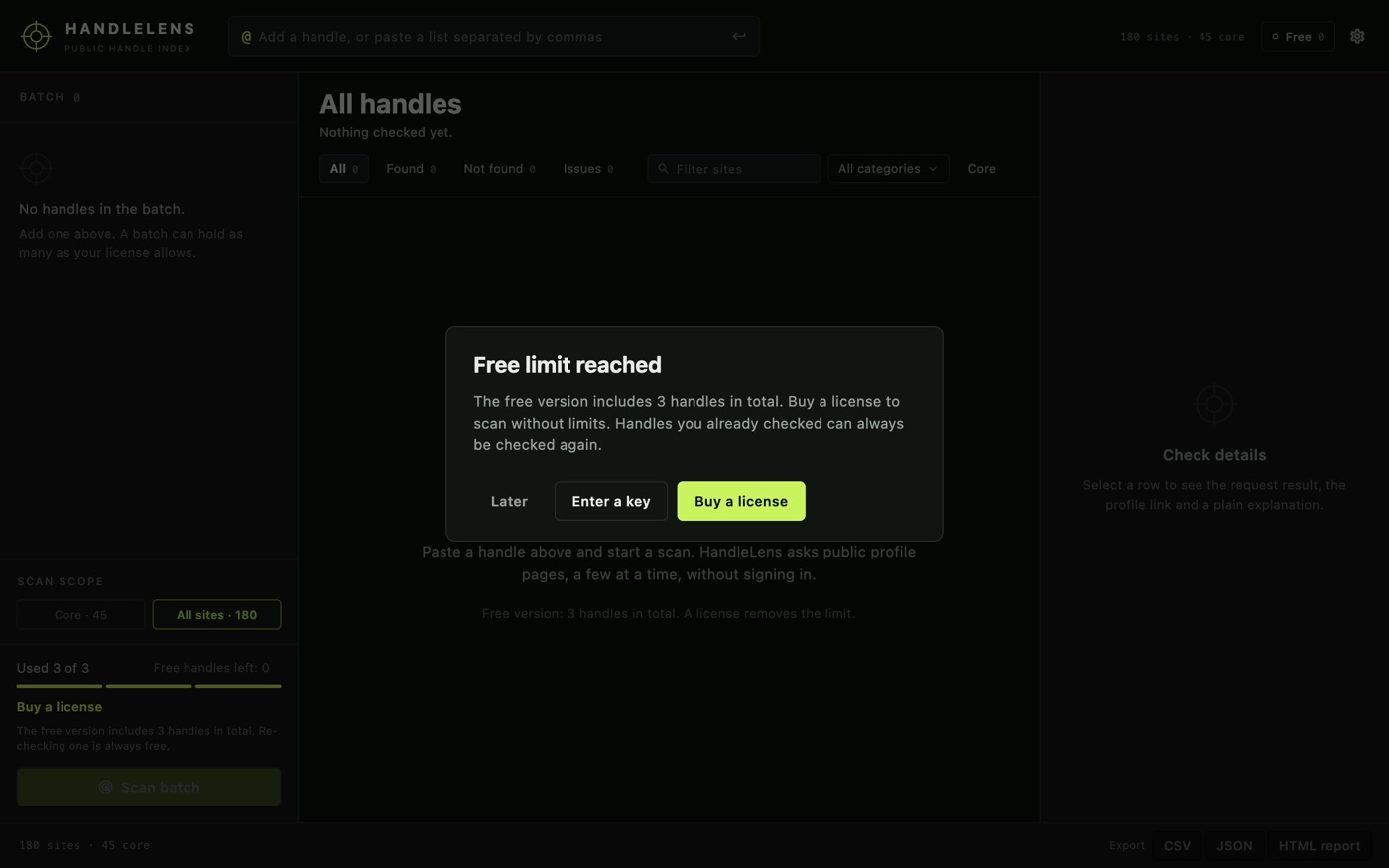
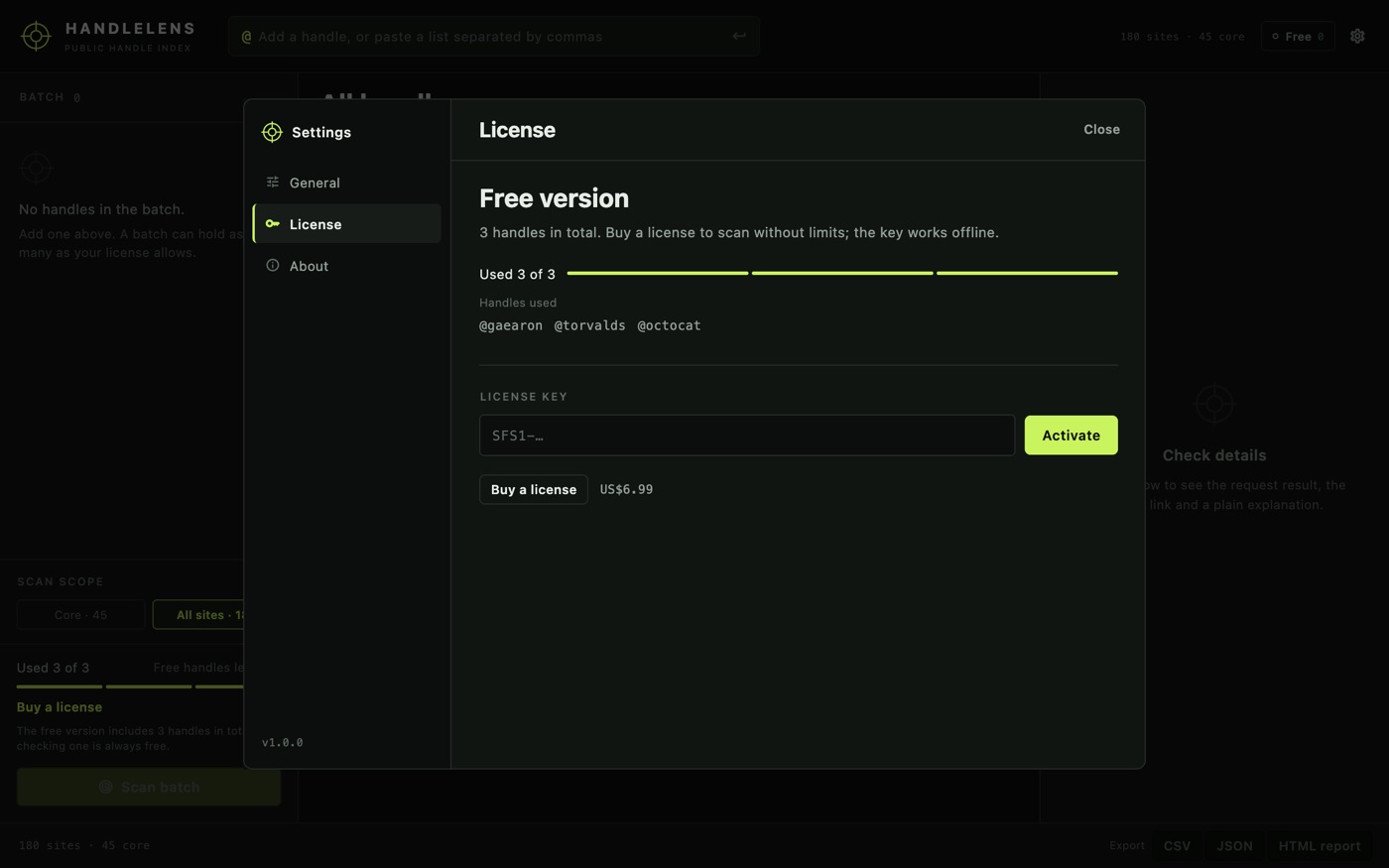
The download is the full app. Without a license it checks three usernames in total across the full catalogue. Re-checking a handle you have already checked is always free, and every filter and export format is included in the free version.
| Free | License | |
|---|---|---|
| Usernames checked | 3 in total | Unlimited |
| Core 45 or all 180 sites | ✓ | ✓ |
| Filters and every export format | ✓ | ✓ |
| History of the last 50 handles | ✓ | ✓ |
Command line (handlelens) for scripts and AI assistants | — | ✓ |
| Offline license verification | ✓ | ✓ |
| Price | Free | US$6.99, once |
The free count is stored on this Mac. Removing a license does not consume handles retroactively, and a licensed scan never uses a free slot.
Your checks stay on your Mac
Requests go from your Mac to the sites you chose. HandleLens does not send them through us. Those sites see your IP address and the username you asked about, exactly as if you opened the profile in a browser; their policies apply.
We receive nothing. No account, no analytics, and no handle history ever reaches us. A short history of your own checks stays on your Mac. Preferences and the license key stay in ~/Library/Application Support/SwordFishSoft/HandleLens. Exports are written where you choose.
One request of our own: the daily Sparkle update check for the appcast file, which can be turned off in Settings → General. License verification is offline; the purchase itself happens at Paddle in your browser. See our privacy policy or the HandleLens-specific policy.
How buying works
- Try the free version. Open the disk image, drag HandleLens to Applications, and check three handles of your own.
- Buy a license on this page. Checkout is run by Paddle, our reseller. Pay by card, PayPal or any other method shown at checkout; tax is added where it applies.
- Copy the key. It appears on this page when the payment goes through, and we email it to the address you paid with. Paste it into HandleLens → Settings → License and choose Activate.
Lost your key? Email [email protected] from the address you paid with and we will send it again.
Before you scan
HandleLens indexes public profile pages. It is not a background check, a people-search database, or a tool for contacting someone without a lawful reason. Use it for research, account-recovery checks, brand and impersonation review, or your own footprint — and respect the terms of the sites you query.
Questions
Which macOS versions are supported?
macOS 12 Monterey or later, on both Apple silicon and Intel. The window is built for a desk and resizes down to 1200 × 750.
Why do some sites say “blocked” or “no answer”?
Those sites refuse automated requests, serve a browser challenge, rate-limit, or did not respond in time. HandleLens reports that honestly instead of calling it “not found”. Re-run later, or open the profile link yourself from the details pane. Platforms that always need a session, such as X and Facebook, are listed as manual-check rows so the link is one click away.
Does the free edition limit runs or usernames?
Usernames: three in total. Each new handle uses one slot the first time it is scanned; checking it again is free. A license removes the limit for every handle.
Is my list or my results uploaded?
No. The batch and the results stay in the app. The only requests are the profile checks you start, the optional update check, and the browser page if you choose to buy.
Can I use one license on two Macs?
A license is intended for one person. The key verifies offline and does not phone home, so the practical limit is the honour system; write to support if you need a second machine.
Can I use it from the command line or an AI assistant?
Yes, with a license. The app includes handlelens; add it to your PATH and scan one handle or a batch from Terminal, with JSON output and fixed exit codes for scripts and assistants. Without a license, handlelens still shows its help, status and the list of sites.
Is there a Windows version?
No. HandleLens is a macOS app; there is no Windows build at this time.
What if it doesn't work for me?
Every purchase has a 14-day money-back guarantee.
Sold by Chongqing Swordfish Technology Co., Ltd. (SwordFishSoft). Our order process is conducted by our online reseller Paddle.com. Paddle.com is the Merchant of Record for all our orders. Terms · Refund policy · Privacy. HandleLens checks public profile pages directly from your Mac; site names and rules come from the open-source Sherlock catalogue (MIT). The screenshots show the running app.