Mac · everything on your own computer · pauses and hesitations · cut lists for your editor · command line
Deadair: cut the dead air out of a talking-head take
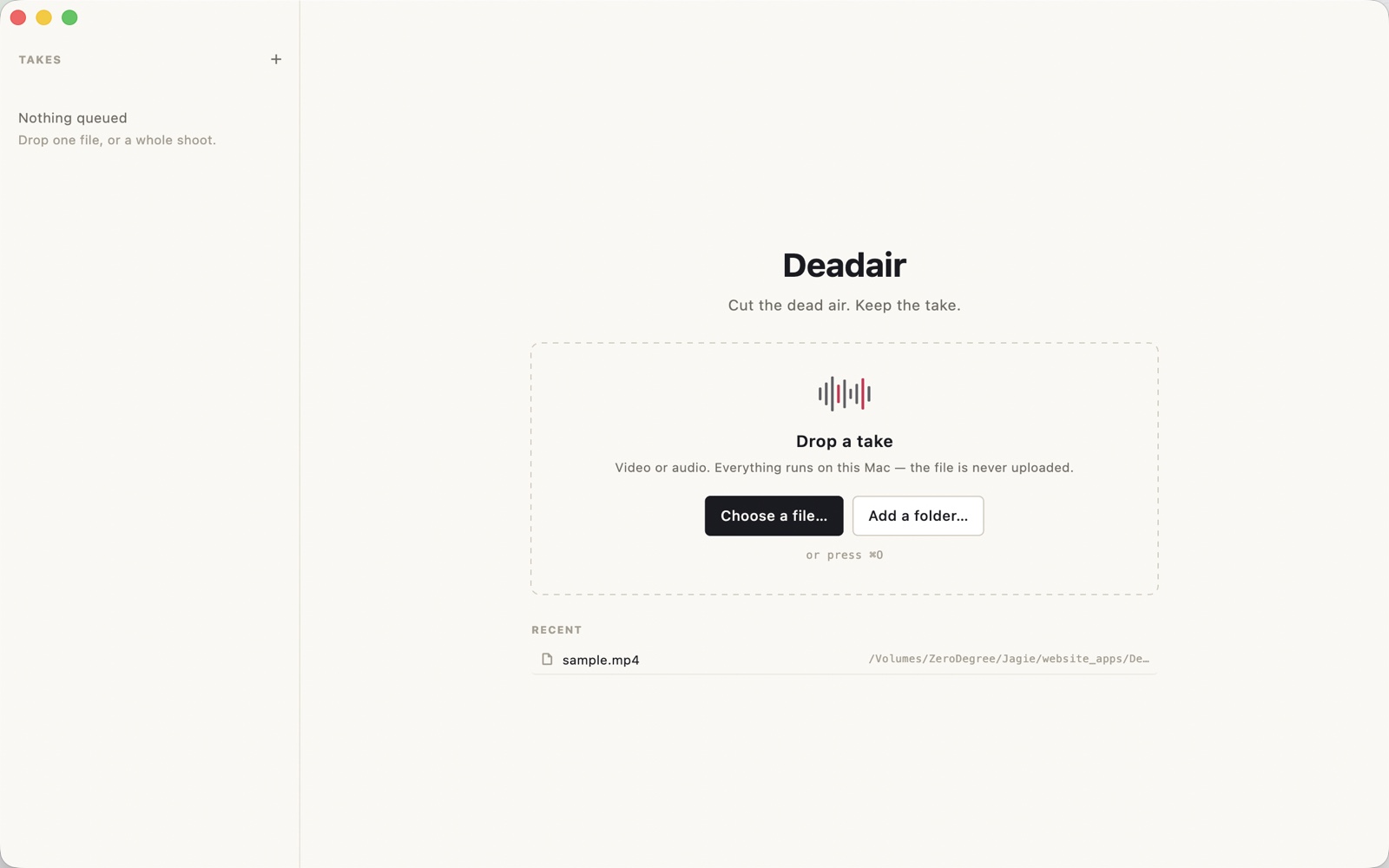
Drop in a lesson, a talk, a podcast or a webinar. Deadair finds the long pauses and the ums, lists every cut with the reason it exists, and either renders the trimmed file or hands a cut list to Final Cut, Premiere or Resolve. It runs on your Mac: the take is never uploaded, and hesitations are not billed by the minute.
US$6.99 one-time license · free version included
Version 1.0.0 · macOS 14 Sonoma or later, Apple Silicon · 62 MB download, plus a one-time 576 MB model download on first launch
One-time purchase · all 1.x updates included · 14-day money-back guarantee
Your license key
Open Deadair → Settings → License and paste the whole line. Keep a copy somewhere safe: the key works offline, on all of your own Macs, for every 1.x version.
How it works
- Find the pauses. Silero VAD reads the audio in 32-millisecond frames and marks where speech starts and stops. It is a 2 MB model: an hour of audio takes a couple of seconds.
- Find the words. Whisper large-v3-turbo writes the take down with timestamps per word, not per sentence, so a single "um" in the middle of a sentence can be lifted out on its own. It is asked for a verbatim transcript, which is why the ums are still in it — tidy them away and there is nothing left to cut.
- Plan the cuts. Every pause longer than your threshold and every hesitation becomes a row in the cut list, with the reason written next to it. Move a knob and the list is rebuilt in microseconds: nothing is listened to twice.
- Export. Render an MP4 with the cuts taken out, or write a cut list — FCPXML for Final Cut and Resolve, FCP 7 XML for Premiere, CMX 3600 EDL for everything else — so the take keeps living in the editor you already use.
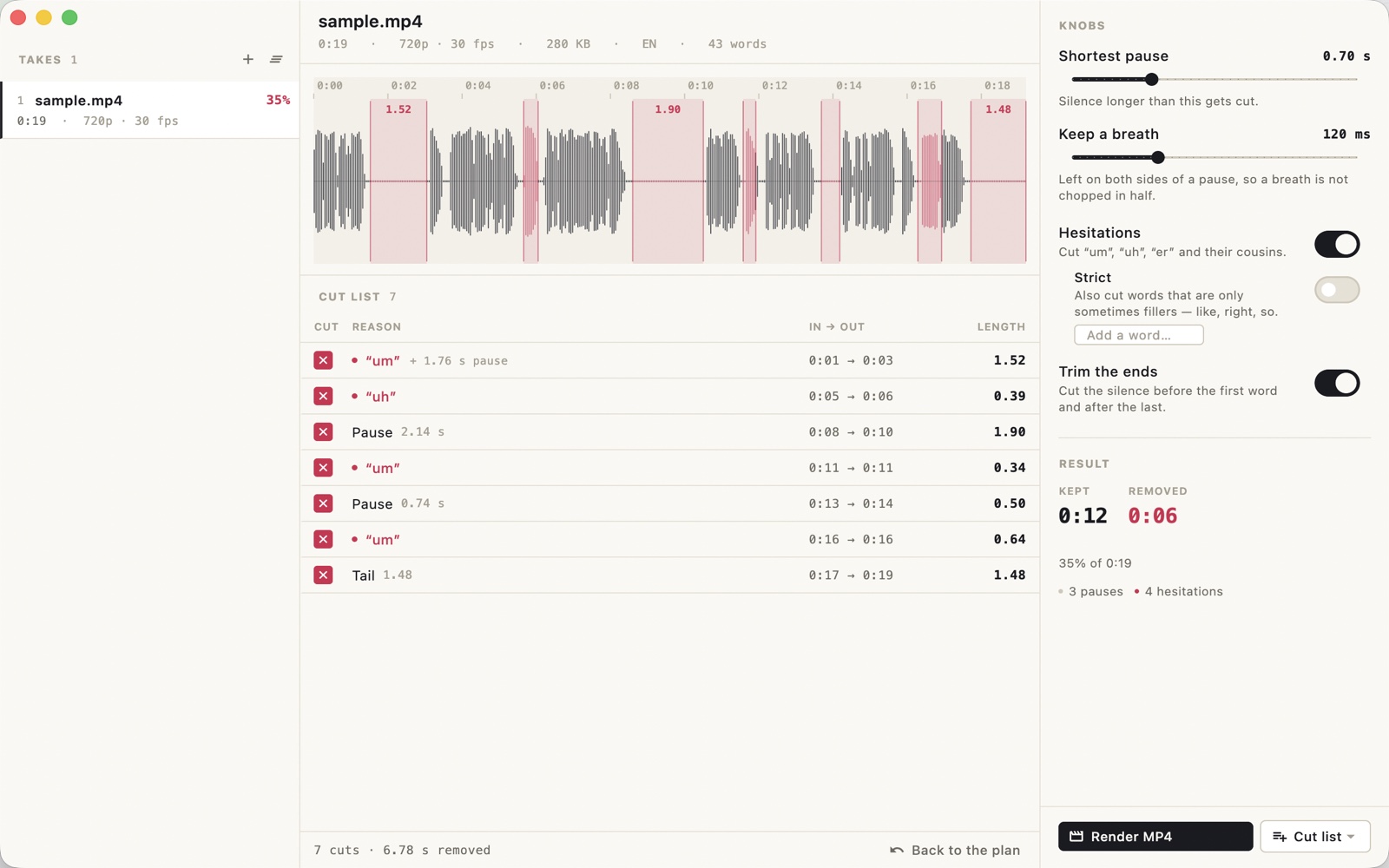
The 19-second take above has seven cuts: four hesitations, three pauses, 6.8 seconds of dead air in all, a third of the file. Nothing is deleted from the source: the result is a new file next to it, named take.cut.mp4 or take.deadair.fcpxml.
The three knobs
- Shortest pause — 0.2 to 2 seconds. Anything longer becomes a cut. 0.7 s is a good start: it keeps the beats inside a sentence and removes the ones between them.
- Keep a breath — 0 to 400 milliseconds left on each side of a pause, so a breath is not chopped in half. 120 ms is the default; 40 ms is tight, 250 ms is gentle.
- Hesitations — um, uh, er, ah and their cousins, in nine languages, plus any words you add yourself. Strict mode also takes the words that are only sometimes fillers: "like", "right", "so".
Trim the ends is on by default: the silence before the first word and after the last goes too. A cut shorter than a tenth of a second is never worth the splice, so it is not made.
A cut list you can overrule
The app never decides on its own. Each row says what it is — Pause 1.84 s, "um", Silence at the start — with its in and out points and its length, and a box to switch the cut off. Switch one off and it stays off while you move the other knobs; the rows are keyed to the time, not to their position in the list. Back to the plan puts everything back.
Several cameras
Queue every angle of the same take and press Sync cameras. Deadair lines the other files up against the first by their sound — a coarse pass over the whole overlap, then a refinement down to 10 milliseconds — and writes one cut list with every angle already offset. The offsets also go into a single-angle export, so a cut list made here drops onto a synced multicam clip without shifting.
Command line & AI assistants
Deadair includes deadair, a command-line tool with the same engine, the same models and the same cut decisions as the app. Trim a whole season from Terminal, from a script, or hand the job to an AI assistant that can run commands on your Mac, such as Claude Code or Codex.
deadair plan ~/Courses/S03 --recursive            # where the pauses and the ums are; no files written
deadair cut ~/Courses/S03 -r --min-pause 0.8 --pad 120 --format mp4,fcpxml
deadair cut talk.mov --format edl --out ~/Cuts    # one EDL for an editor that only speaks EDL
deadair cut cam-a.mov cam-b.mov --multicam --format fcpxml   # one cut list, all angles aligned
deadair sync cam-a.mov cam-b.mov                  # just the offsets, in seconds
deadair models download # fetch the models without the app- Made for scripts and agents.
--jsonprints one line per file and a summary; progress goes to stderr; exit codes are fixed; it never waits for input.planwrites nothing at all, so an agent can look before it cuts. - The app and the command line agree. A cut you switched off in the app stays switched off when the same file is cut from Terminal, in both directions.
- Safe to re-run. An output that already exists is skipped unless you add
--overwrite.
Prompt for your AI assistant
I have Deadair on my Mac. It cuts the long pauses and the hesitations (um, uh) out of talking-head video, offline, and has a command-line tool:
"/Applications/Deadair.app/Contents/Helpers/deadair"
(also on my PATH as deadair if I installed it). Run it with --help first. Usage:
  deadair plan <files or folders> [-r] [--min-pause 0.8] [--pad 120] [--no-fillers] [--json]
  deadair cut <files or folders> [-r] [--format mp4,fcpxml,premiere,edl] [-o <dir>] [--json]
  deadair sync <file> <file> [...]    offsets between cameras, in seconds
Without -o it writes <name>.cut.mp4 and <name>.deadair.fcpxml next to each file. Existing outputs are skipped unless I ask for --overwrite. The source is never modified.
With --json, stdout has one JSON line per file ({"type":"file","input","duration","kept","removed","ratio","cuts","fillers","outputs"} plus a "plan" line with every cut and its reason) and a final {"type":"summary"} line; progress goes to stderr.
Exit codes: 0 every file handled, 1 some files failed, 2 bad arguments or nothing left after the cuts, 3 needs a Deadair license, 4 models missing (open the app once or run deadair models download), 130 interrupted.
If you get exit code 3 or 4, tell me instead of working around it. Don't delete or move my files.
My task:
plan, sync, models and license work without a license; cut does not.
Free version and license
The download is the whole app. Without a license it works on one file at a time, stops at ten minutes, and cuts pauses only — enough to hear whether it understands your take.
| Free | License | |
|---|---|---|
| Files at a time | One | A whole folder, queued |
| Length read | First 10 minutes | The whole file |
| Pauses | ✓ | ✓ |
| Hesitations and your own words | — | ✓ |
| Cut lists for Final Cut / Premiere / Resolve | — | ✓ |
| Multicam sync | — | ✓ |
| Render an MP4 | ✓ | ✓ |
Command line (cut) | — | ✓ |
| Updates | ✓ | All 1.x updates |
| Price | Free | US$6.99, once |
Your takes stay on your Mac
No upload, no account, no minutes to count. Deadair never sends your files, their words or their names anywhere. It makes two kinds of network request: the one-time model download on first launch, 576 MB from our download server (downloads.swordfishsoft.org), and once a day an update check, which fetches the list of new versions and the list of refunded orders from swordfishsoft.org — the same files for everyone. You can turn the update check off in Settings. Cutting and rendering need no connection at all. See our privacy policy.
How buying works
- Download and try the free version. Open the disk image, drag Deadair to Applications, let it fetch the models, and cut ten minutes of your own take.
- Buy a license on this page. Checkout is run by Paddle, our reseller. You can pay by card, PayPal or any other method shown at checkout, and tax is added where it applies.
- Copy the key. It appears on this page as soon as the payment goes through, and we also email it to you. Paste it into Deadair → Settings → License, and the limits are gone.
Lost your key? Email [email protected] from the address you paid with and we'll send it again.
Questions
How is this different from Recut or TimeBolt?
Two things. First, the price: US$6.99 once, and hesitations are included — TimeBolt charges about three cents a minute for its filler detection, and Recut does not remove ums at all. Second, the output: Recut and TimeBolt want to render the file for you, while Deadair also writes a cut list, so the take lands in the timeline as clips you can still trim by hand. Neither has a command line.
How is this different from auto-editor, which is free?
auto-editor is a good command-line tool for silence and it costs nothing. Deadair adds the words: hesitation detection with per-word timestamps, a cut list with a reason on every row, FCPXML / Premiere / EDL export, multicam alignment, and an interface where you can switch a single cut off before it is made. If all you need is "remove the silence from this file", auto-editor is enough, and we would rather say so.
Does the render touch my original?
No. The source file is opened read-only and never modified. The result is a new file next to it: take.cut.mp4. If you ask for a cut list instead, no video is written at all.
Why does the MP4 have to be re-encoded?
Because a cut almost never falls on a keyframe. A stream copy can only start a file at a keyframe, which would leave the pauses you asked to remove in place, so the kept ranges are encoded again with Apple's VideoToolbox (H.264 and AAC), at a bitrate chosen from the frame size and rate. For a master, use the cut list: your editor re-encodes from the original with its own settings.
Will the cuts be frame accurate?
Cut list times are written in frames at the file's own frame rate and rounded inward, so a cut never eats the first frame of a word. FCPXML, FCP 7 XML and EDL all carry the same ranges; EDL is the one to avoid if you need sub-frame precision.
Which editors read the cut list?
FCPXML opens in Final Cut Pro and DaVinci Resolve. The FCP 7 XML opens in Premiere Pro (File → Import). CMX 3600 EDL is read by all three, and by most others — it is the oldest of the three, and the least precise.
What about the words I say that are not um?
Add them. The word list holds the built-in fillers for the language it detected, plus whatever you type — "you know", "sort of", "basically". They are matched against the transcript longest-first, so a two-word filler is not cut in half.
Can it cut a take with several speakers?
Yes, as long as they speak one after another: pauses and hesitations are cut wherever they are. It does not separate who said what.
Which Macs does it run on?
Any Mac with Apple Silicon (M1 or later) and macOS 14 Sonoma or later, with 16 GB of memory or more recommended. Intel Macs are not supported.
Is there a Windows version?
Not yet. If enough people ask for one, we will make it, and the same license will cover it. Tell us at [email protected].
macOS asks whether I'm sure I want to open it. Is that normal?
Yes. The first time you open any app downloaded from a website, macOS asks once. Check that the message says Apple checked it for malicious software and none was detected, then click Open: the app is signed with our Apple Developer ID and notarized by Apple.
What if it doesn't work for me?
Every purchase has a 14-day money-back guarantee.
Sold by Chongqing Swordfish Technology Co., Ltd. (SwordFishSoft). Our order process is conducted by our online reseller Paddle.com. Paddle.com is the Merchant of Record for all our orders. Terms · Refund policy · Privacy. Models: Silero VAD v5 (MIT) and Whisper large-v3-turbo (OpenAI, MIT), run with whisper.cpp (MIT) and ONNX Runtime (MIT); FFmpeg 7.1.2 (LGPL-2.1-or-later), built without GPL or non-free parts and shipped as separate programs in Contents/Helpers; Sparkle (MIT). The sample take in the screenshots was recorded with macOS's own text-to-speech.