Mac app · Apple Silicon · offline · command line
AIDepthForge for Mac
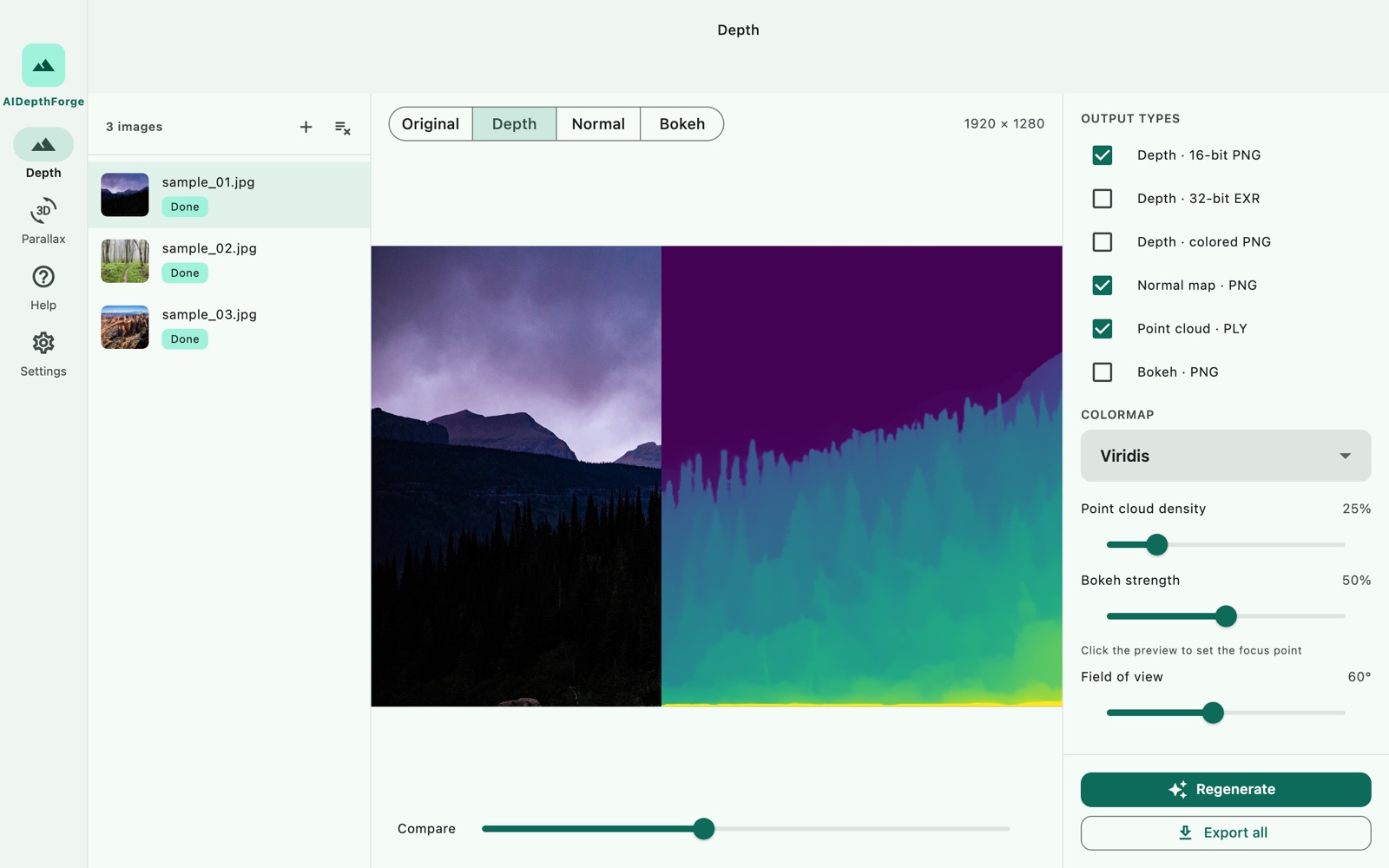
Depth maps, normal maps, point clouds, bokeh and 3D parallax video from any photo. It handles whole folders at full resolution, and everything runs on your Mac.
US$4.99 one-time license · free version included
Version 1.1.0 · macOS 14 Sonoma or later · Apple Silicon (M1 or later) · 650 MB download
One-time purchase · all 1.x updates included · 30-day money-back guarantee
Your license key
Open AIDepthForge → Settings → License → Enter license key and paste the whole line. Keep a copy somewhere safe: the key works offline, on all of your own Macs, for every 1.x version.
Free version and license
The download is the full app. Without a license it runs as a free version, roughly what our free depth map tool does in the browser, but with a larger model. A license unlocks the rest.
| Free | License | |
|---|---|---|
| Photos per run | 1 | Up to 500, whole folders |
| Export size | Up to 1024 px on the long side | Full original resolution |
| Coloured depth, normal map, bokeh (8-bit PNG) | ✓ | ✓ |
| 16-bit depth PNG (ControlNet), 32-bit EXR, PLY point cloud | — | ✓ |
| Parallax preview | ✓ | ✓ |
| Parallax video export (mp4) | — | ✓ |
| Command-line tool for scripts and AI assistants | 1 photo per run | Unlimited batches |
| Price | Free | US$4.99, once |
What you get from one photo
- Depth map, 16-bit PNG. Near is bright and far is dark, the convention ControlNet and Stable Diffusion depth conditioning expect.
- Depth EXR, 32-bit float. For compositing in After Effects, Fusion, Nuke or DaVinci Resolve.
- Coloured depth. Viridis, Inferno, Turbo or grayscale, for a quick read or a figure.
- Normal map. OpenGL encoding, for relighting and normal conditioning.
- Point cloud. Binary PLY with per-point colour that opens straight in Blender, MeshLab or CloudCompare.
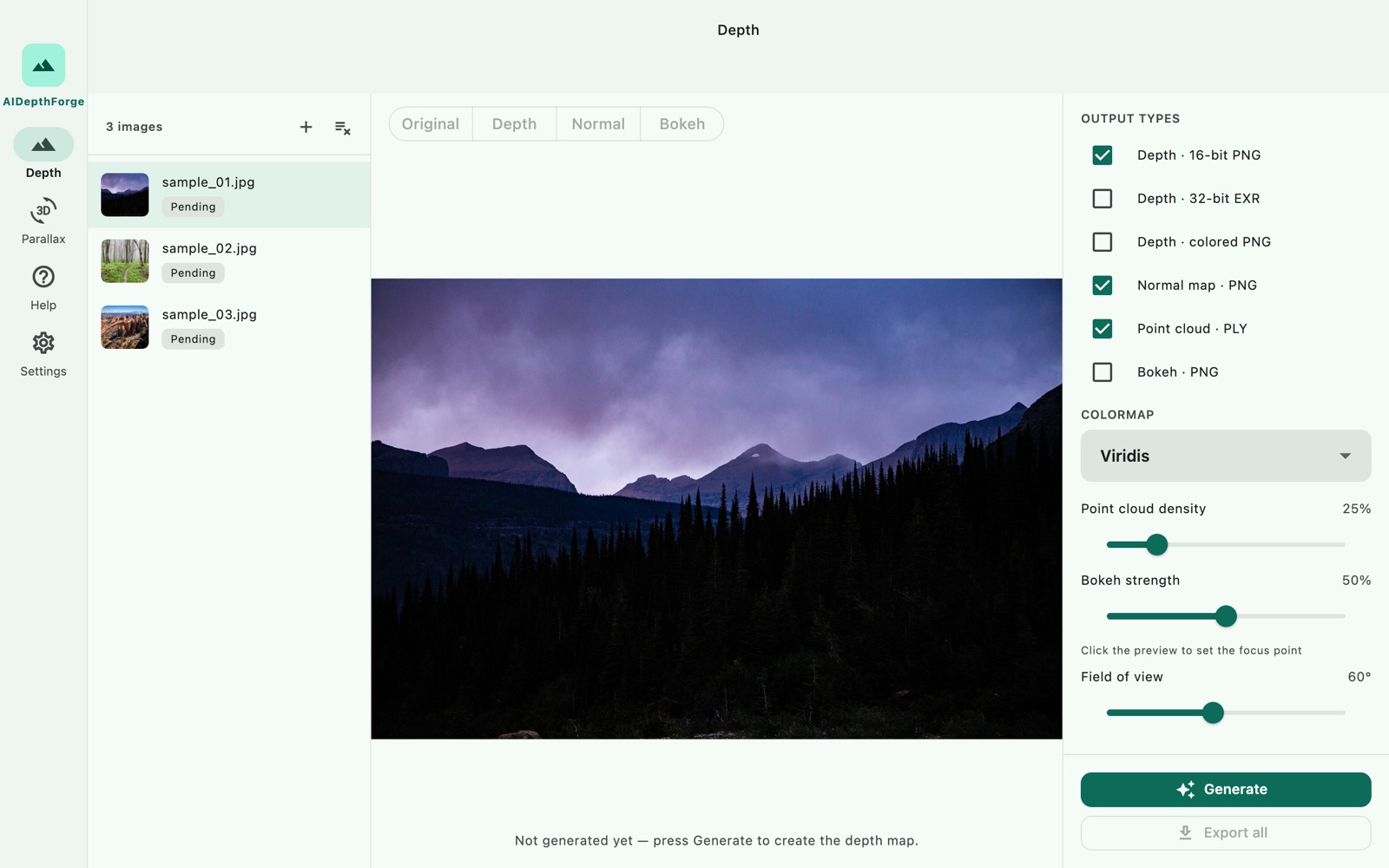
- Bokeh. Click the preview to set the focus point, then drag one slider for the strength.
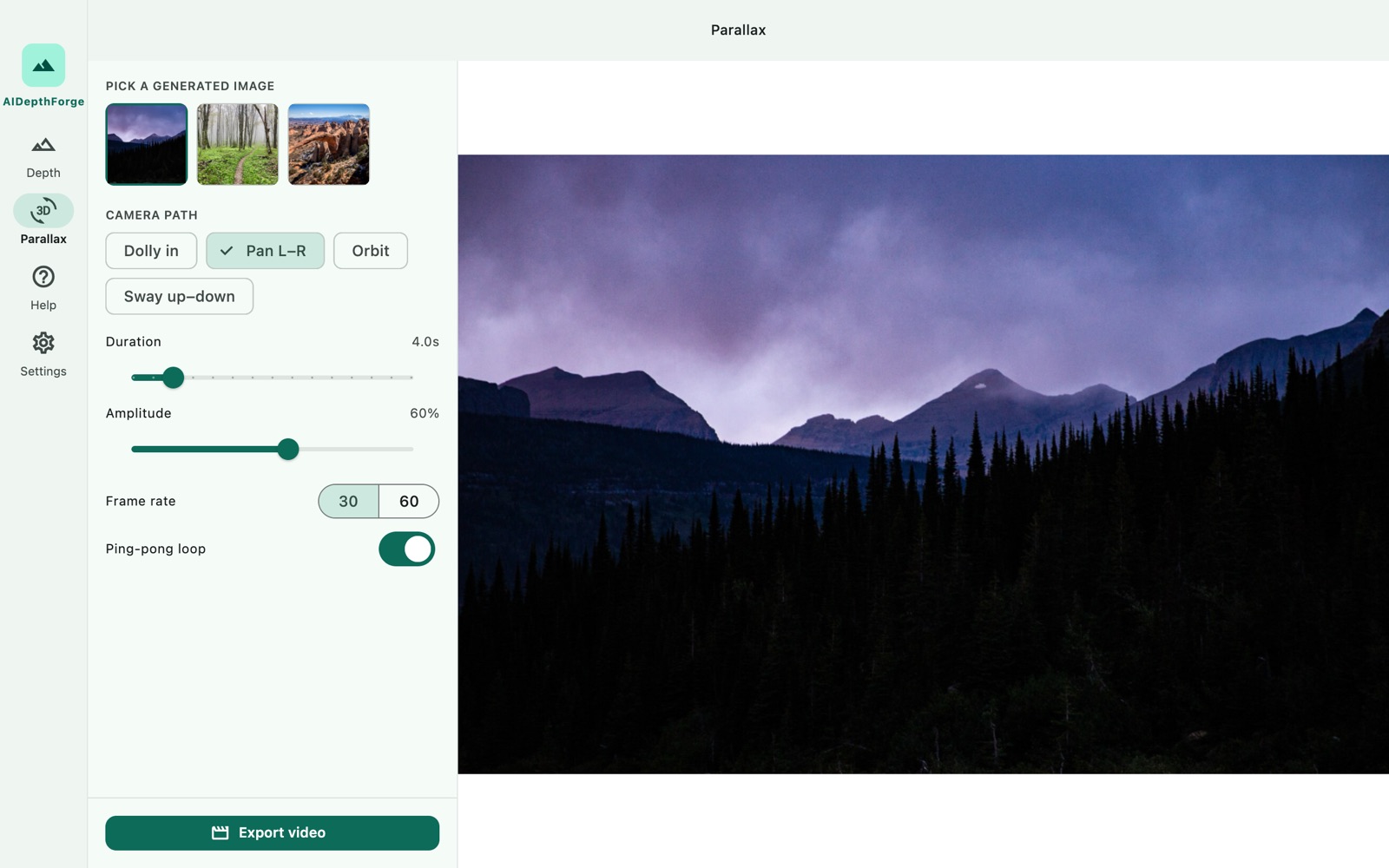
- Parallax video. Dolly, pan, orbit or sway, 3–10 seconds, 30 or 60 fps, H.264 or HEVC, with an optional seamless loop.
Command line & AI agents
AIDepthForge includes a command-line tool, aidepthforge, for the jobs a window is clumsy at: thousands of photos, nested folders, or one step in a script. It runs the same model with the same license, and it writes the same files as the app, byte for byte. AI assistants that can run Terminal commands, such as Claude Code or Codex, can drive it for you. Describe the job in a sentence and the assistant runs the batch.
aidepthforge depth ~/Shoot --recursive --out ~/Shoot-depth --formats depth16,normal
aidepthforge depth ~/Shoot --recursive --out ~/Shoot-depth --skip-existing   # resume
aidepthforge parallax lake.jpg --path orbit --duration 8 --out lake.mp4- Built for scripts.
--jsonprints one line per photo and a summary, with fixed exit codes.--dry-runshows what would be written, and existing files are never replaced unless you pass--overwrite. - Folders in, folders out.
--recursivemirrors your sub-folders in the output folder, and--skip-existingpicks up an interrupted batch where it stopped. - Nothing to set up. The tool is inside the app. In the app, go to Settings → Command line → Copy install command, or call
/Applications/AIDepthForge.app/Contents/Helpers/aidepthforgedirectly. No Python, no packages, no network. - Same pace as the app. About 1.4 seconds per 1920-pixel photo with all six formats on an M2 Max. The first run spends about 25 seconds preparing the model, once.
Prompt for your AI assistant
Paste this into Claude Code, Codex or another assistant that can use your Terminal, then add what you want done. The same text is in the app under Settings → Command line.
I have AIDepthForge on my Mac. It includes an offline command-line tool for depth maps:
"/Applications/AIDepthForge.app/Contents/Helpers/aidepthforge"
Run it with --help first. Typical batch run:
  aidepthforge depth <photos or folders> --out <folder> --formats depth16 --recursive --skip-existing --json
Formats: depth16 (16-bit PNG, white = near, for ControlNet), exr, color, normal, ply, bokeh.
"aidepthforge parallax <photo> --out clip.mp4" renders a 3D parallax video.
Use --dry-run to preview which files will be written. With --json, stdout has one JSON line per photo and a final summary line; progress goes to stderr.
Exit codes: 0 done, 1 some photos failed, 2 bad arguments, 3 needs a license (the free version does one photo per run, up to 1024 px), 4 app or model not found.
The very first run spends about 30 seconds preparing the model. If you get exit code 3, tell me which limit was hit instead of working around it.
My task:
Without a license the command line follows the free-version rules: one photo per run, up to 1024 px, the three 8-bit PNGs. If a command would go past those limits, it stops with exit code 3 before writing anything, and the assistant can tell you why.
How it compares with the free web tool
- A bigger model. The app runs Depth Anything 3 (DA3-Mono-Large, ByteDance Seed, Apache-2.0). The web tool uses the much smaller Depth Anything V2 Small, which fits in a browser tab.
- Native speed. The model ships inside the app as a Core ML network and runs on the Apple Silicon GPU and Neural Engine. A 12-megapixel photo takes about 2 seconds on an M2 Max. The first run spends about half a minute letting Core ML prepare the model for your Mac, once.
- Formats the browser can't give you. 16-bit PNG, EXR, PLY and video, at the photo's original resolution.
Your photos stay on your Mac
There is no upload, no account and no subscription. The app has no code that sends your photos or file names anywhere, and it checks the license key offline. See our privacy policy.
How buying works
- Download and try the free version. Open the disk image, drag AIDepthForge to Applications, and check that it runs on your Mac and handles your photos.
- Buy a license on this page. Checkout is run by Paddle, our reseller. You can pay by card, PayPal or any other method shown at checkout, and tax is added where it applies.
- Copy the key. It appears on this page as soon as the payment goes through, and we also email it to the address you paid with. Paste it into AIDepthForge → Settings → License.
Lost your key? Email [email protected] from the address you paid with and we'll send it again.
Questions
Is this the Mac App Store version?
No. AIDepthForge is also sold on the Mac App Store as a separate app. This edition comes directly from us, and purchases don't carry over between the two. If you already own the App Store version, you don't need this one.
Which Macs does it run on?
Macs with Apple Silicon (M1 or later) running macOS 14 Sonoma or newer. Intel Macs are not supported.
macOS asks whether I'm sure I want to open it. Is that normal?
Yes. The first time you open any app downloaded from a website, macOS asks once. Check that the message says Apple checked it for malicious software and none was detected, then click Open. That means the app is signed with our Apple Developer ID and notarized by Apple. macOS won't ask again. If you see a different message, one saying Apple could not verify the app, with no Open button, don't open it. Download it again from this page, and email us if the message comes back.
Can ChatGPT or Claude make depth maps for me?
Chat models can describe a photo, but they can't output a per-pixel depth map. An assistant that can run commands on your Mac, such as Claude Code or Codex, can run AIDepthForge's command-line tool for you instead. The photos stay on your Mac and the tool makes no network requests. Use the prompt in the Command line section above.
Can I use the results commercially?
Yes. The license covers personal and commercial work, and the model is released under Apache-2.0. The results are yours.
What if it doesn't work for me?
Every purchase has a 30-day money-back guarantee.
Sold by Chongqing Swordfish Technology Co., Ltd. (SwordFishSoft). Our order process is conducted by our online reseller Paddle.com. Paddle.com is the Merchant of Record for all our orders. Terms · Refund policy · Privacy. Depth Anything 3 © 2025 ByteDance Ltd. and/or its affiliates, used under the Apache License 2.0.